
websitebuilder

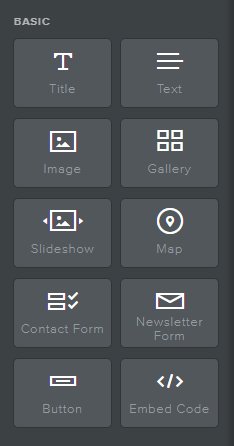
Builder elementen woordenlijst

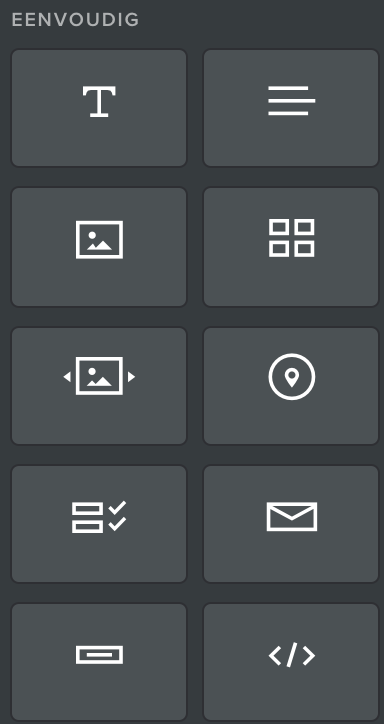
Basiselementen: Veelgebruikte functies voor een website

Titel: Een algemene kop voor een deel van de inhoud

Tekst: Geschreven inhoud die meestal onder een titel wordt geplaatst. Deze kan bijvoorbeeld volledige zinnen, alinea's of lijsten met opsommingstekens bevatten.

Afbeelding: Geef foto's, illustraties of andere afbeeldingen weer

Galerij: Een verzameling afbeeldingen, gerangschikt in een raster

Diavoorstelling:A Een verzameling afbeeldingen waarbij één afbeelding tegelijk wordt weergegeven voordat de naar de volgende wordt overgegaan

Kaart: Een afbeelding van een geografisch gebied waarop een specifieke locatie (zoals een bedrijfsadres) is gemarkeerd

Contactformulier: Een reeks velden die wordt gebruikt om vragen en informatie van bezoekers van de site te verzamelen. De antwoorden worden rechtstreeks naar een e-mailadres van uw keuze verzonden

Formulier Voor Nieuwbrief: Een hulpmiddel dat wordt gebruikt om een ​​e-mail van geïnteresseerde bezoekers te verzamelen om een ​​bedrijfsnieuwsbrief of verdere e-mailcorrespondentie van uw merk te ontvangen

Knop: Een object dat, wanneer erop wordt geklikt door een bezoeker van de site, een actie uitvoert of een bezoeker naar een andere pagina leidt.

Embed-code: Voeg geavanceerde aangepaste functies toe aan een website met behulp van Html- en/of CSS-coderingstalen
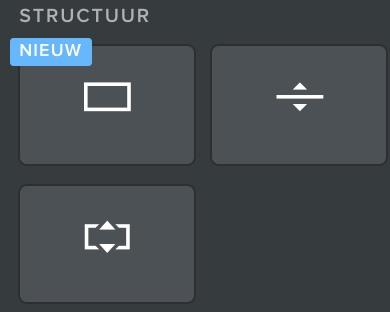
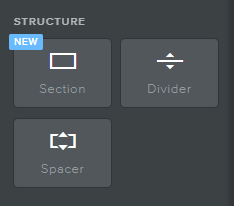
Structuur: Hulpmiddelen waarmee de lay-out van een pagina kan worden herschikt

Sectie: Een blok ruimte op een website waarin andere elementen kunnen worden geplaatst

Scheidingslijn: Decoratieve horizontale lijnen die worden gebruikt voor het scheiden van inhoud op een pagina

Tussenstuk: Blokken met lege ruimte die worden gebruikt voor de algemene opmaak
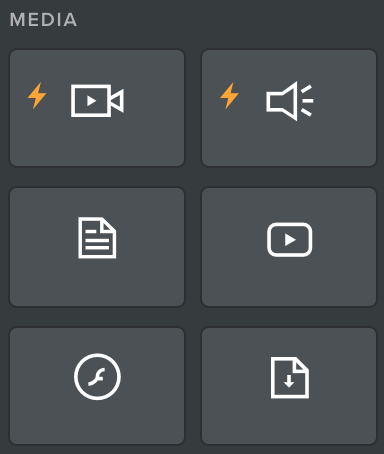

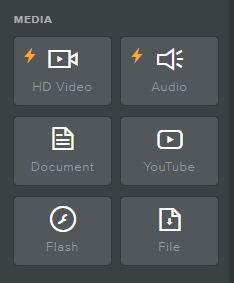
Media: Functies om met bezoekers te communiceren met behulp van tools die verder gaan dan tekst en stilstaande beelden

HD-video: Voeg een video in van hoge kwaliteit uit een bestand op uw computer

Audio: Voeg een geluidsopname of audioclip in

Scribd-Document: Voeg een document in zodat het kan worden gelezen op de website

YouTube: Voeg een YouTube-video in

Flash: Draai een Adobe Flash-programma

Bestand: Voeg een bestand in en sta toe dat het wordt gedownload door bezoekers
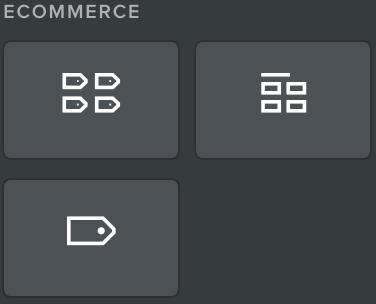

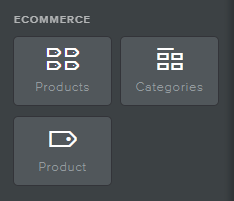
E-commerce: Onderdelen voor het weergeven van een online winkel

Producten: Geef een verzameling of meerdere verzamelingen van items weer die beschikbaar zijn voor de verkoop

Categorieën: Geef verschillende categorieën weer om gemakkelijker naar de gewenste producten te navigeren

Product: Een individueel artikel dat voor verkoop beschikbaar is
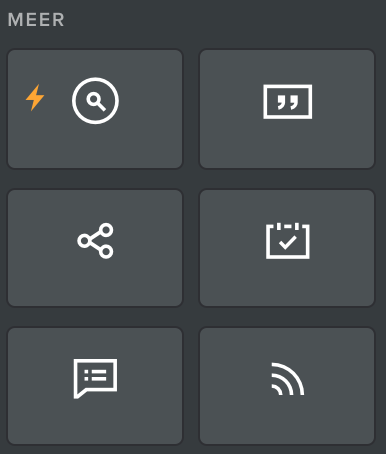

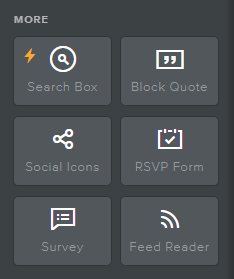
Meer: Diverse functies om de sitefunctionaliteit te verbeteren

Zoekvak: Tool waarmee bezoekers een trefwoord kunnen invoeren en de term binnen de website kunnen vinden

Blokcitaat: Citaattekst voor klantrecensies of het markeren van instructies

Sociale Pictogrammen: Logo-pictogrammen voor sociale media die bezoekers van de website in verbinding brengen met de sociale mediapagina's van het bedrijf

RSVP-formulier: Een tool die wordt gebruikt om reacties van websitebezoekers op een uitnodiging te verzamelen (en deze rechtstreeks naar een e-mail van uw keuze te sturen)

Enquête: Een tool die wordt gebruikt om feedback van bezoekers van de website te verzamelen (en deze rechtstreeks naar een e-mail van uw keuze te sturen)

Feedlezer: Lijst met actuele
Hoe kan ik mijn websitebouwer-abonnement upgraden?

Uw website kan worden geüpgraded om video's, diavoorstellingen, ledensecties en geavanceerde e-commercefuncties te ondersteunen.
Als u uw website wilt upgraden, Ga naar je Beheer mijn domein pagina meld je aan bij je account en te kiezen voor "Meine Webseite (#)". U ziet drie opties - het pakket die u al hebt, en twee upgradepakketten.***
Door te upgraden naar een van onze premium websitepakketten krijgt u de volgende extra functies:
Pro Website Pakket
  • Maak diavoorstellingen om uw bedrijf te presenteren
  • Voeg video's en audio toe aan uw site
  • Wachtwoordbeveiligingspagina’s zodat alleen klanten of leden ze kunnen zien
  • Ledensectie van uw site voor maximaal 100 leden
  • E-commerce ondersteuning voor maximaal 25 producten met 3% vergoeding
Zakelijk website pakket
  • Maak diavoorstellingen om uw bedrijf te presenteren
  • Voeg video's en audio toe aan uw site
  • Wachtwoordbeveiligingspagina’s zodat alleen klanten of leden ze kunnen zien
  • Ledensectie van uw site voor een onbeperkt aantal leden
  • E-commerce ondersteuning voor een onbeperkt aantal producten
  • Voorraadbeheersysteem
  • Verzend- en belastingcalculator
  • Geen kosten voor e-commercetransacties
  • SSL-beveiliging voor uw site
***Let op: op dit moment kunnen we geen automatische upgrades voor klanten in Brazilië ondersteunen. Als u in Brazilië bent en een abonnement op uw websitebouwer wilt upgraden, neemt u contact op met de klantenservice.

Builder Elements Glossary

Basic Elements: Commonly used features for a website
Website Builder Icons
Website Builder Add Text Header Icon

Title: A general heading for a section of content

Website Builder Add Paragraph Text Icon

Text: Written content typically placed below a Title. For example, this may include full sentences, paragraphs, or bulleted lists of text.

Website Builder Upload Image Icon

Image: Display photographs, illustrations, or other visuals

Website Builder Upload Image Gallery Icon

Gallery: A collection of images, arranged in a grid

Website Builder Add Slideshow Icon

Slideshow:A collection of images where one image is displayed at a time before transitioning to the next

Website Builder Add Location Map Icon

Map: A depiction of a geographic area with a specific location (such as a business address) highlighted

Website Builder Add Contact Form Icon

Contact Form: A set of fields used to collect inquiries and information from visitors to the site, responses are sent directly to an email address of your choice

Website Builder Add Newsletter Form Icon

Newsletter Form: A tool used to collect an email from interested visitors to receive a company newsletter or further email correspondence from your brand

Website Builder Add A Call To Action Button Icon

Button: An object that, when clicked by a visitor to the site, performs an action or navigates a visitor to another page.

Website Builder Embed HTML Icon

Embed Code: Add advanced custom functions to a website using HTML and/or CSS coding languages

Structure Elements: Tools that allow for rearranging the layout of a page
Website Builder Structure Section Icons
Website Builder Add Page Section Icon

Section: A block of space on a website in which other elements may be placed

Website Builder Add Page Divider Icon

Divider: Decorative horizontal lines used for separating content on a page

Website Builder Add a Page Spacer Icon

Spacer: Blocks of empty space used for general formatting

Media Elements: Features for communicating with visitors using tools beyond text and still images
Website Builder Media Icon Section
Website Builder Upload HD Video Icon

HD Video: Insert a high-quality video from a file on your computer

Website Builder Upload Audio Icon

Audio: Insert a sound recording or audio clip

Website Builder Upload Document Icon

Document: Insert a document for on website reading

Website Builder Add Youtube Video Icon

YouTube: Insert a YouTube video

Website Builder Add Flash Player Icon

Flash: Run an adobe flash program

Website Builder Upload File Icon

File: Insert a file and allow it to be downloaded by visitors

E-commerce Elements: Components for displaying an online store
Website Builder Ecommerce Icon Section
Website Builder Add Products Icon

Products: Display a collection or multiple collections of items available for sale

Website Builder Add Product Categories Icon

Categories: Display various categories for easier navigation to desired products

Website Builder Add One Product Icon

Product: An individual item available for sale

Other Elements: Miscellaneous features to improve site functionality
Website Builder Miscellanious Icon Section
Website Builder Add Search Box Icon

Search Box: Tool allowing visitors to enter a keyword and locate the term within the website

Website Builder Add Block Text Quotes Icon

Block Quote: Quotation text for customer reviews or highlighting statements

Website Builder Add Social Media Links Icon

Social Icons: Social media logo icons linking website visitors to the company’s social media pages

Website Builder Add RSVP Form Icon

RSVP Form: A tool used to collect responses from website visitors to an invitation (and send them directly to an email of your choice)

Website Builder Add Survey Form Icon

Survey: A tool used to collect feedback from website visitors (and send it directly to an email of your choice)

Website Builder Add Blog Feed Reader Icon

Feed Reader: List of current news articles from compatible news sites

Set up Your First Webpage

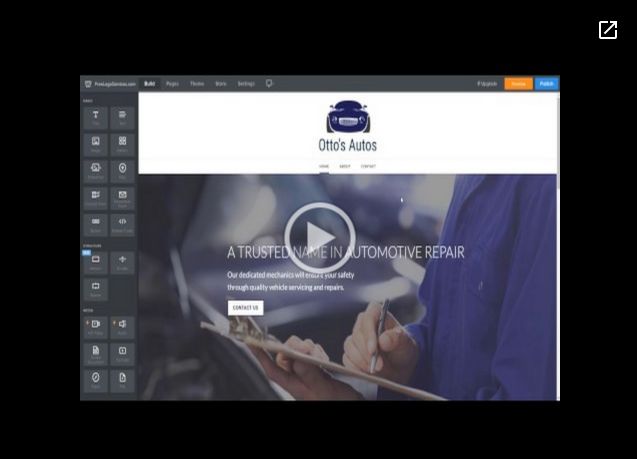
This brief video will show you how to get your website published in less than 2 minutes!

Get Started Now

Set Up your first webpageOpens a new window
Click Here For More About Design Your Website.

Keep Building Your Website


You have a beautiful looking and functional website for your business or organization, but you're looking to add some content, make some quick changes, or delete some irrelevant information. With our easy-to-use website editing tools, you can do all of this within a matter of minutes. Please find some helpful video tutorials below detailing how to use our website builder tools:


Logging Into Your Website Editor


Logging Into Your Website EditorOpens a new window


Adding Pages & Navigation


How to add Pages to your website

How to add SubPages (drop down menu) for Site

How to add a Blog to your Website


Adding Content To Your Pages


How to add a Page Layout/Create Contact Us Page
 

How to add a banner image to your Header Area


How to add a text box and headline

How to add a button link to your website (external or internal)


How to upload an image to your website/Create Gallery

How to edit the Footer of your website


How to add social media icons
 

How to add a document/file to a page


How to add social media icons to a page


Website Styling & Theme Selection


How to change your theme and fonts on your theme

*Warning: Do not select a new theme if you've had a custom website made for you. Changing the theme may delete key elements, functionality, content, and styling of your website*


Website Apps


Adding Apps to your website

Accessing SiteWit's Stats & Marketing Application


E-Commerce Functionality


Create Products and Categories for your Webstore

Displaying Products and Categories on your Website

Connecting Your Payment Processor


Widget Glossary


Widget Glossary - Explore a .PDF guide to the various widget elements that come standard inside our easy-to-use website editor tool.


Still have questions?


Contact our customer service team at [email protected] anytime to receive help or answers to any questions you may have.

Video Tutorials

Learn how to utilize our easy-to-use website editor tools to add, edit, and remove content from your website.


Lesson 1.1 - Creating A Standard Page


Creating A Standard PageOpens a new window
 

Lesson 1.2 - Creating Content For Your Page


Creating Content For Your PageOpens a new window


For tips on how each element works, please visit or Builder Elements Glossary.

How do I upgrade my website builder subscription?

Your website can be upgraded to support videos, slideshows, members-only sections, and advanced eCommerce features.

If you would like to upgrade your website please go to your Manage My Domain page by signing into your account, choosing "My Websites (#)".  You should see three options - the package you already have, and two upgrade packages.***

By upgrading to one of our premium website packages you will get the following additional features:

Pro Website Package

  • Header slideshows to showcase your business
  • Add videos and audio to your site
  • Password protect pages so only customers or members can see them
  • Members-only section of your site for up to 100 members
  • E-commerce support for up to 25 products with 3% fee
*Please note that shipping and tax calculators are only available with Business package upgrade

Business Website Package
  • Header slideshows to showcase your business
  • Add videos and audio to your site
  • Password protect pages so only customers or members can see them
  • Members-only section of your site for an unlimited number of members
  • E-commerce support for an unlimited number of products
  • Inventory management system
  • Shipping and tax calculator
  • No e-commerce transaction fees
  • SSL security for your site
***Please Note: at this time we cannot support automatic upgrades for customers in Brazil. If you are in Brazil and would like to upgrade your website builder subscription, please contact customer service.

Syndicate content