
business

How do I navigate the Online Business Listing Account?

You can select from the Online Business Listing Menu at the top of your account. The menu includes:
 
Dashboard:
Where you can review your entire Online Business Listing account. View how many listings are in sync with your account, what listings are pending, and your actual business ratings on any online reviews for your business.

Profile:
Click on the menu option to update any standard information about your company. This includes your location, phone number, website, or email address information.
 
Directories:
Click on the menu option to view your active online listings as well as any pending listings that need connection/verification. If you chose not to set up any listings, this is where you can go back and complete the process.
 
Publish:
Click on this menu option to submit any company news, offers, and have them published on your listing directories or any of your social media pages such as Facebook, Instagram, etc.



*This offer is limited to our US customers, we hope to have a product for your area soon!

How Do I Complete My Google Business Listing?

To complete your Google Online Listing, you will need to verify your company and location. Google does this by mailing you a physical postcard to the address of your choice with a pin code. Once you have requested the postcard, you will receive it within 7-10 business days from the date of the request. If you have not received the postcard within that timeline, you can request a new one to be mailed to you using the same process below.


1. On the Online Business Listing page, select Directories from the menu.

2. On the Directories page click on the Verify This Location button.
 

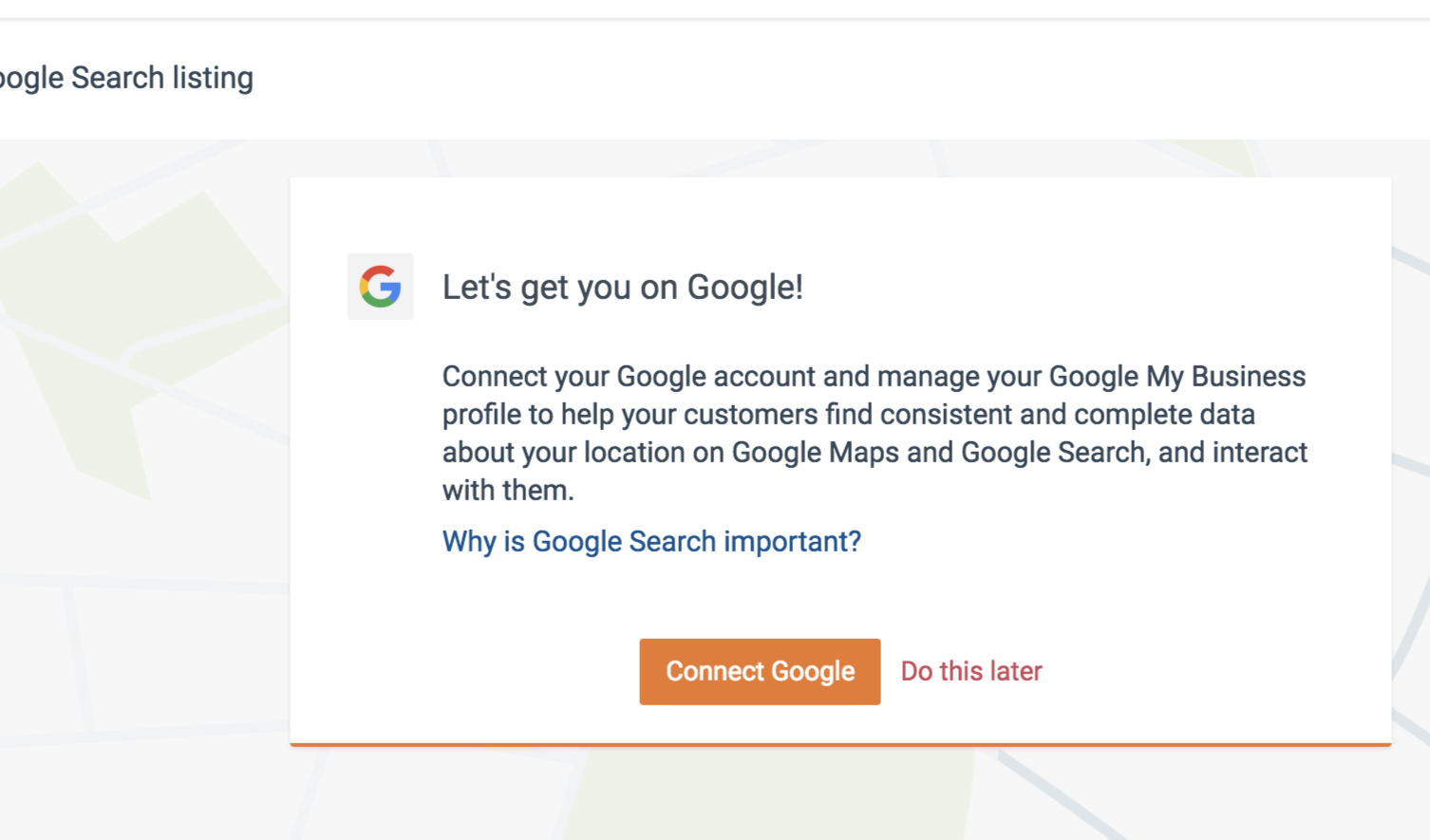
3. You will be prompted to connect to Google. Click on the Connect Google button.

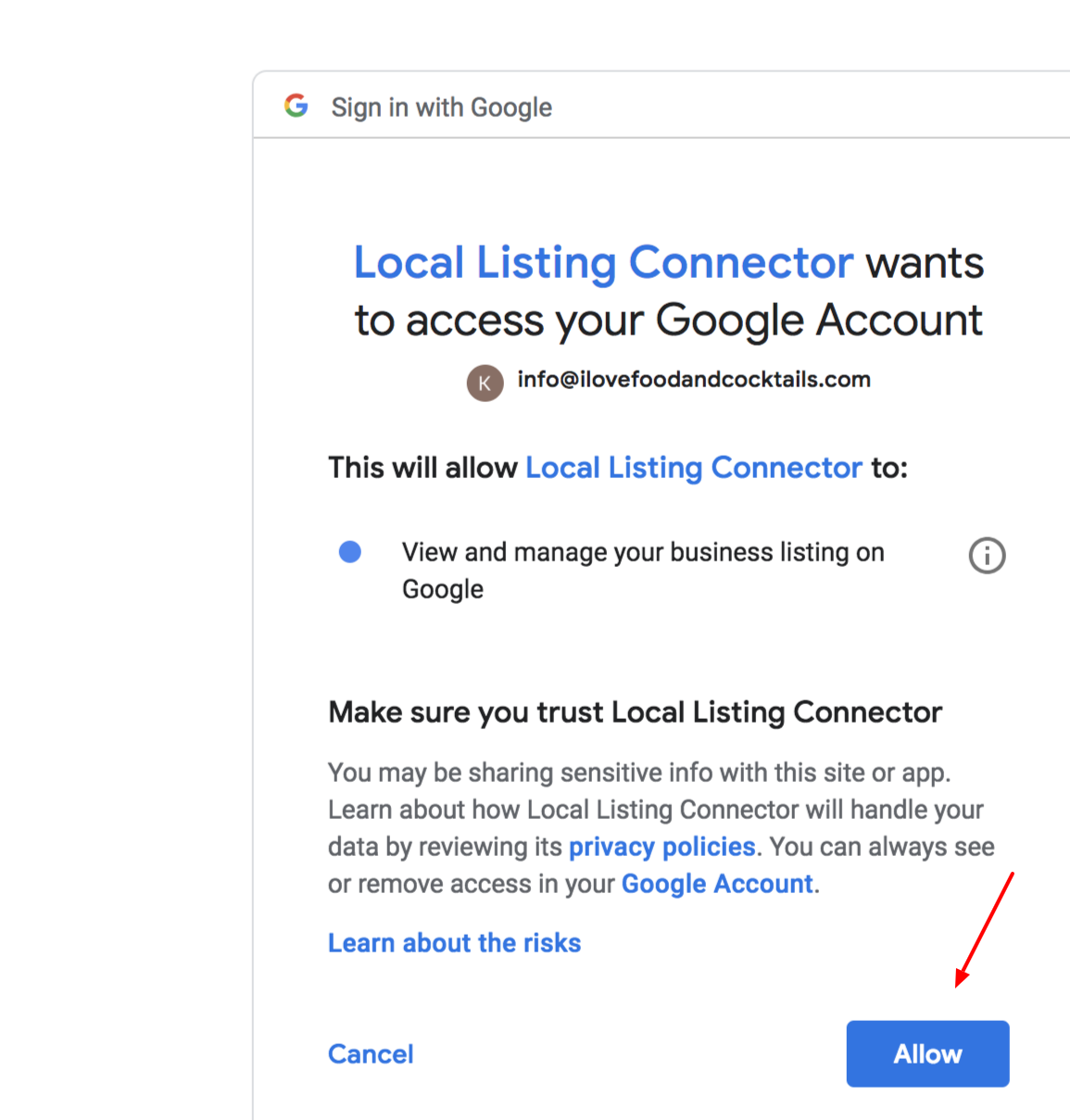
4. You will be asked if you would like to connect your local listing to an email account. Please click on Allow, and you will be prompted to connect your email address of choice and entering your inbox password. You can then click Continue.


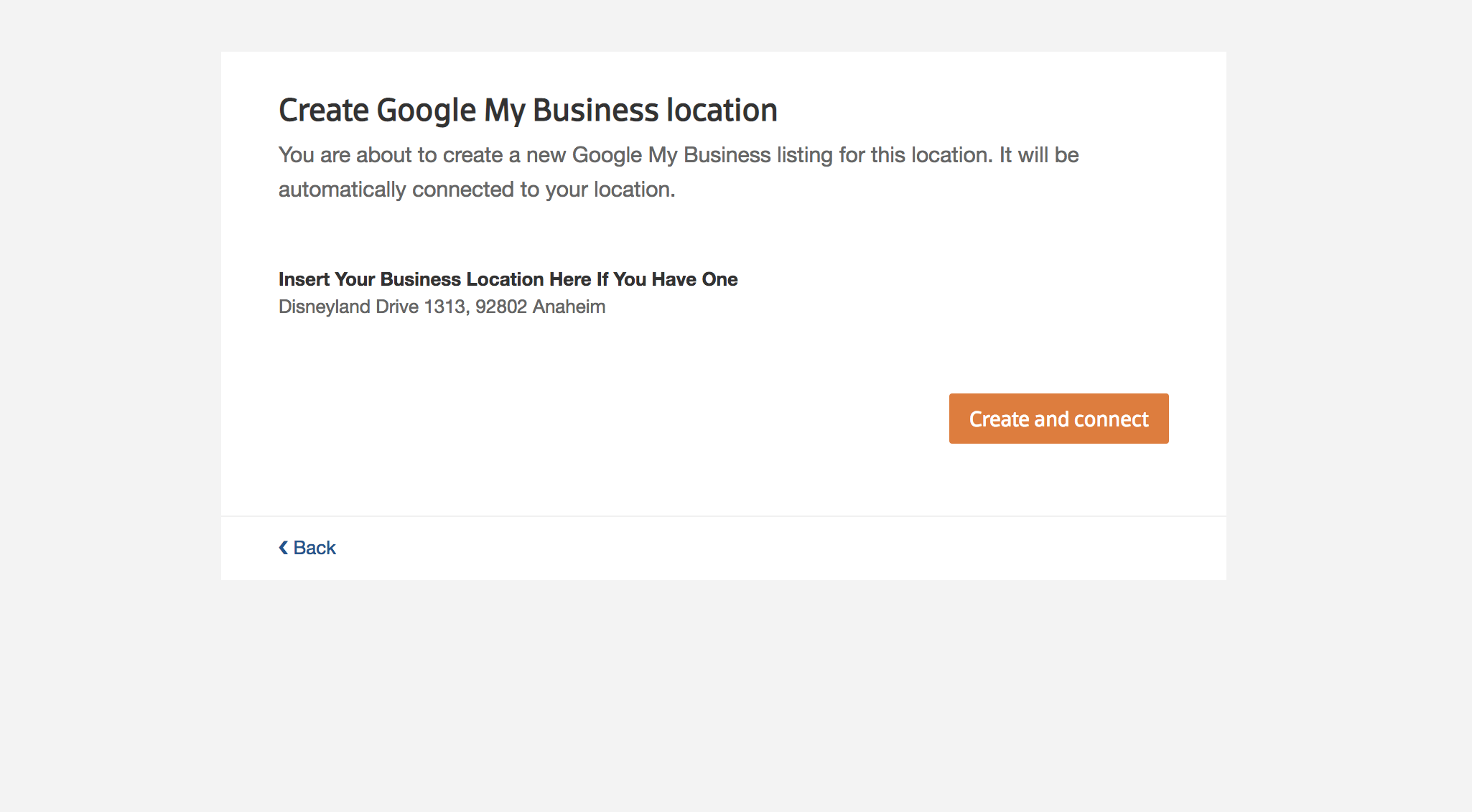
5. You will confirm that you would like to create a Google My Business Listing for your company. Click on Create and Connect


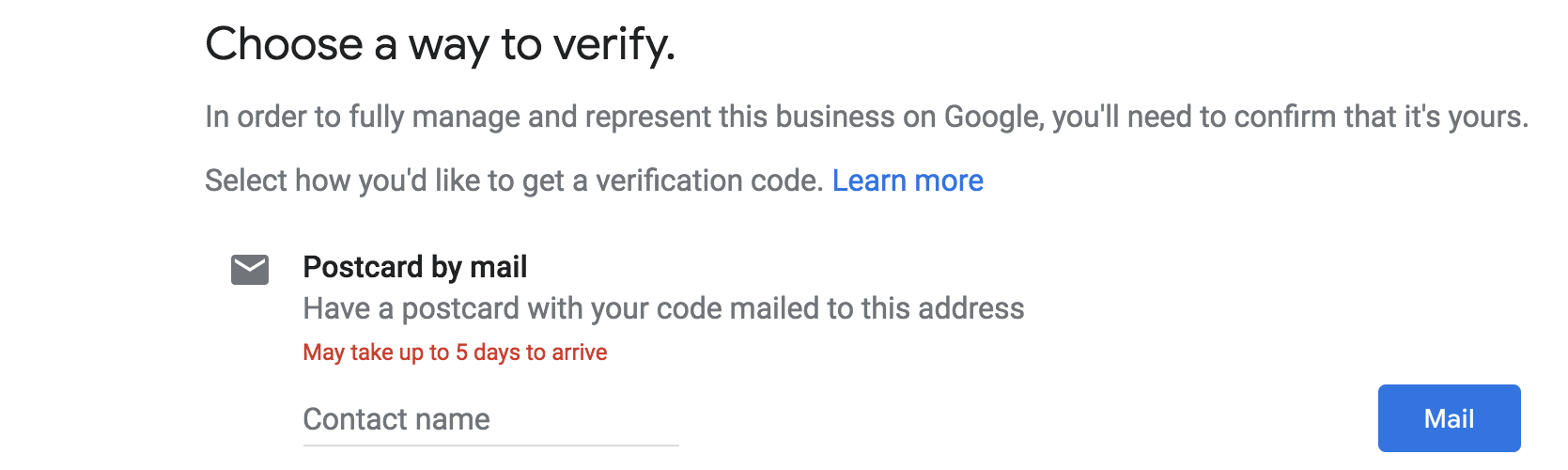
6. Select a method to verify your business. We suggest using the postcard option for fastest setup. Click on Mail button to complete this portion of the setup process.


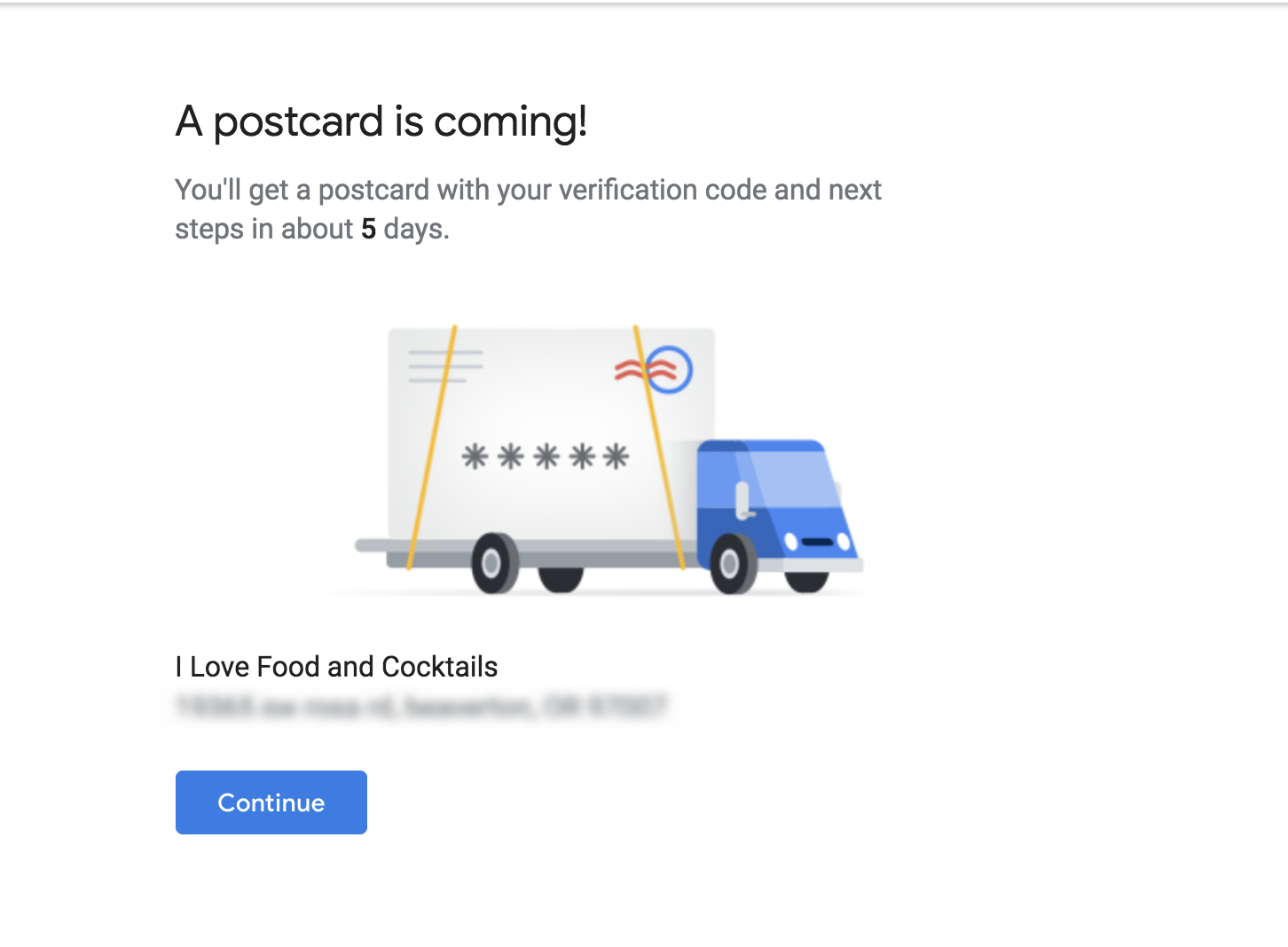
7. You will receive a confirmation that your postcard is on its way. Please allow 7-10 days for delivery of the postcard with your pin code. Once you have received the postcard, please access your Online Business Listing account on our website, and re-access the directories dashboard to complete the setup process. You will be prompted to enter your pin code to complete. Congratulations your listing is now live!


*This offer is limited to our US customers, we hope to have a product for your area soon
Syndicate content