You’ve spent serious time (and probably serious money) crafting the perfect logo. You’re ready to slap it on everything from custom T-shirts to tote bags to coffee mugs. But here’s the thing, even the most beautifully designed logo can fall completely flat if it ends up in the wrong spot. A company logo squeezed into a corner where no one looks, or blown up so large it overwhelms the product, can undermine all that creative work in an instant.
In this article, we’ll provide you with the ultimate logo placement guide to guarantee your print placement is perfect every time. When trying to make a lasting impression with your business card, branded merchandise, or marketing materials, knowing exactly where to position your logo changes everything.
- Rules of Logo Placement That Work Everywhere
- Business Cards
- T-Shirts
- Hoodies & Sweatshirts
- Hats & Caps
- Mugs & Drinkware
- Tote Bags & Other Soft Goods
- How to Prepare Files With Correct Placement for Printers

Rules of Logo Placement That Work Everywhere
Before we get product-specific, there are a few universal truths about logo placement that apply no matter what you’re printing on. Think of these as the golden rules; follow them, and you’re already halfway to perfect placement.
Maintaining Proper Spacing
Spacing is an important factor when it comes to print options. Here are some things you should keep in mind:
- Clear space is the breathing room around your logo. It’s the invisible buffer that keeps your design from feeling cramped and cluttered. A good rule of thumb is to give your logo at least as much clear space on all sides as the height of the tallest letter in your logo mark.
- Alignment matters just as much. Logos that sit slightly off-center or drift toward a seam look like mistakes, not design choices. Always align to a defined axis, either the vertical center of the product, the left edge of a chest panel, or a consistent distance from a seam.
- Margins keep your logo fully visible and off the edges. For most printed products, a minimum margin of about an inch from any edge is a safe starting point. Some products (like mugs with curved surfaces) need even more.
Visibility vs. Subtlety
Not every logo needs to be front and center, screaming for attention. Sometimes a small icon on the back collar of a hoodie is exactly right. Other times, you need eye-catching graphics on the full front of a shirt because you want your brand to function as a walking billboard.
The front placement is almost always where maximum visibility lives. It’s what people see when they face you, when you take a photo, when you shake someone’s hand. The back is great for secondary messaging, taglines, or a larger design that rewards a second look.
Balancing Logo Size With Product Usage
How someone uses a product affects how your logo reads on it. A mug gets picked up by the handle and set down with the front facing the room. A tote bag swings and rotates. A hat brim draws the eye upward.
Logos that are too small disappear in use. Logos that are too large look unbalanced and can warp around surfaces in unflattering ways. The sweet spot is always large enough to be legible at the typical viewing distance for that product, and small enough to feel intentional rather than desperate.
With intricate details, you also need to account for the printing method; screen printing and embroidery both have limits on how fine a line or how small a text element can be reproduced cleanly.
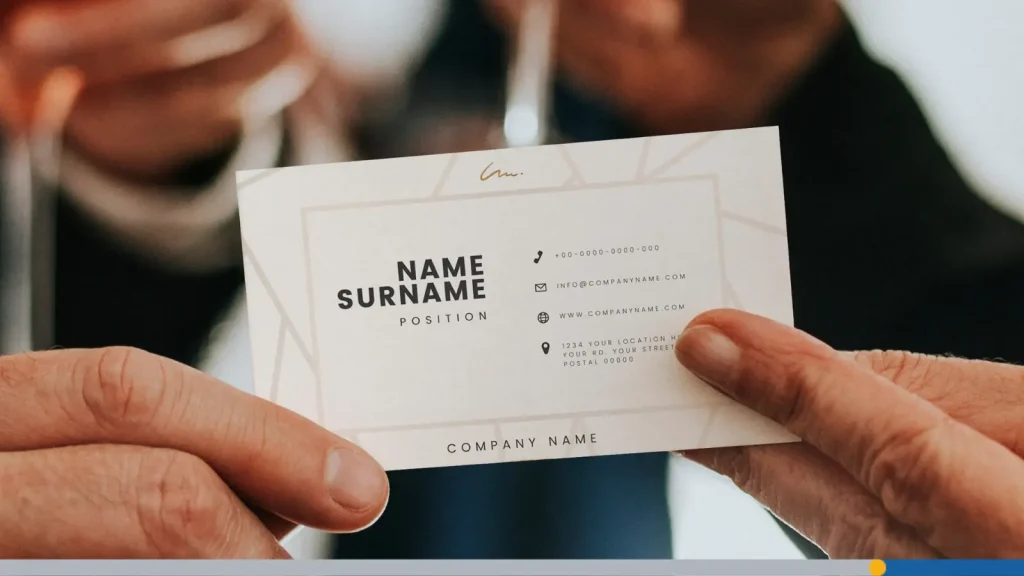
Business Cards
The business card is one of the most intimate branded items you’ll ever produce. It passes directly from your hand to someone else’s. That tiny 3.5 × 2-inch surface carries a lot of weight, and logo placement is critical to making it work.
Common Business Card Layouts
The three most classic layouts for a business card are:
- Top-left: This orientation feels modern and editorial; it mirrors how Western populations naturally start reading, so it gives the logo a position of prominence without being loud about it.
- Centered placement is more formal and traditional, making the logo feel balanced and authoritative.
- Top-center: A hybrid that works beautifully with stacked layouts where the logo sits above the name and contact info like a header.
What you want to avoid is placing the logo in a corner that competes with contact information or runs too close to the card edge. Bleed areas on business cards are typically 0.125 inches, and anything important should stay well inside the safe zone.
Where to Put the Logo on the Back
The back of a business card is prime real estate that a lot of brands ignore entirely. If you have a bold, beautiful logo mark, the back is a fantastic place to let it breathe at a larger size. You can go full bleed with a logo pattern, place a single centered mark large enough to fill most of the card, or keep it minimal with a small icon and a brand color wash.

T-Shirts
Ah, the humble T-shirt. The workhorse of custom apparel, the canvas of choice for everyone from Fortune 500 companies to garage bands. Custom T-shirt design placement is one of the most-asked-about topics in the printing world, and for good reason: there are genuinely a lot of alternatives, and not all placements work for every situation.
Left-Chest vs. Full Front vs. Back Print
These are the most common T-shirt placement areas that you should consider:
- Left-chest placement: The classic professional choice. It’s where a polo shirt pocket would be, roughly 3—4 inches below the collar and 4 inches in from the side seam. It’s understated but effective, and it’s the go-to for corporate-branded T-shirts, work uniforms, and anything that needs to feel polished.
- Full front (also called center chest): The bold design option. This is where you put eye-catching graphics, illustrated artwork, or anything that needs real estate to shine. The print area for a full-front design on a standard adult shirt is typically around 12 × 14 inches, though this varies by garment size.
- Back print: Typically larger than front placements, this works well for team names, slogans, or designs that tell a story. Place the design on the upper back, starting about 3—4 inches below the back collar, centered between the shoulder blades.
When to Use Sleeve & Neck Placements
Sleeve placement, particularly upper-sleeve print, has seen a big resurgence in popularity. It adds a secondary branding element without cluttering the front or back, and it looks especially sharp on short-sleeve shirts with a clean left-chest logo.
Upper sleeve designs are typically 3—4 inches wide, centered on the sleeve cap, about 1—2 inches below the shoulder seam. For a sleeve print that reads clearly, keep it simple: a small logo, a single word, or a small icon.
Neck placements (inside the back collar) are a subtle touch that insiders love. It’s where you’d find a brand tag, and using that space for a small logo or brand mark adds a detail that customers notice when they’re putting on the shirt. It’s not about visibility to others; it’s about the person wearing it feeling like the brand sweated the details.
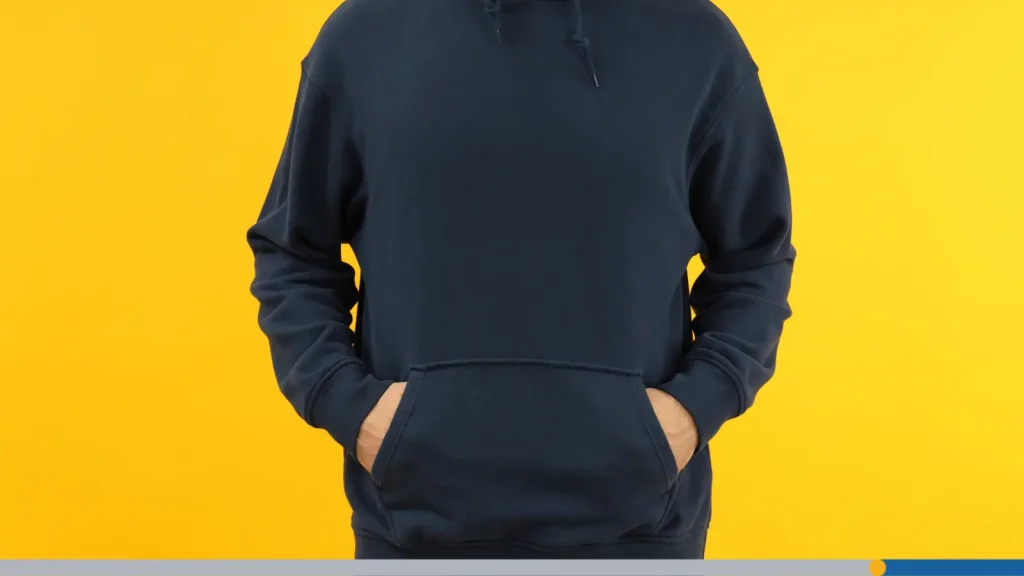
Hoodies & Sweatshirts
Hoodies are their own universe of logo placement challenges and opportunities. They’ve got more structural elements to work around than a plain T-shirt, and getting placement right means thinking about all of them.
How Hoodie Pockets & Zippers Affect Placement
The front kangaroo pocket was originally designed for athletes in the 1920s, but has become a staple of modern athletic and street fashion over the last few decades. However, the front pouch pocket on a pullover hoodie is a placement obstacle that catches many designers off guard. A logo placed too low on the front chest will end up right on or above the pocket seam, looking awkward and potentially distorting when the pocket is used.
Stick to the upper chest area, 3—4 inches below the ribbed collar, to keep the logo well clear of the pocket zone.
Zip-up hoodies introduce the zipper as a vertical divider. A center chest logo isn’t really an option on a full-zip hoodie (unless you want your logo split down the middle, which we wouldn’t advise). Instead, go for left- or side-chest placement on zip-ups. Small logos work much better here than large designs.
Front vs. Back Logos on Hoodies
The front placement on a hoodie works well for smaller, cleaner logos. Large designs on the front of a hoodie can look great, but the fabric drape and bulk of a hoodie can mean bold graphics with a lot of detail can get lost in the folds. Simple designs with strong shapes tend to read better on hoodie fronts.
The back of a hoodie, however, is an excellent place for larger, bolder artwork. The upper back, centered between the shoulder blades and starting a few inches below the collar, gives you a large, relatively flat surface to work with.

Hats & Caps
Hats are one of the most powerful branding items you can produce, full stop. A well-branded hat becomes part of someone’s daily outfit rotation in a way that few other items do. But the curved surface and small dimensions mean logo placement and sizing decisions matter enormously.
Front-Center Embroidery Considerations
The front center panel of a structured cap is the ideal spot for a company logo, and embroidery is the dominant printing method. The standard embroiderable area on a cap front is roughly 2.25 inches tall by 4.5 inches wide, though the maximum size varies by cap style. Within that space, your logo needs to be clear, bold, and simple enough to translate into thread.
This is where intricate details become a real problem. Fine lines, small text, and complex gradients that look beautiful on screen simply don’t embroider cleanly at cap-front scale. Work with your embroidery file as a simplified version of your full logo, think of it as the essential version, stripped down to what matters most.
Side & Back Logo Options
Side placements (on the left or right panel of a structured cap) are great for secondary logos, small icons, or co-branding where you have two marks to represent. Keep side logos small, under 2 inches in most cases, and make sure they don’t wrap around to the front or back panel.
The back of a cap, typically below the adjustment strap, can hold a small logo or icon. This is often the territory of a brand mark rather than a full wordmark. It’s a subtle touch that rewards people who look closely.
Logo Size Limits for Readability
On a cap, readability is everything. If someone needs to squint or get six inches away to read your logo, it’s too small or too complex. As a general rule, text within a cap logo should be at least 0.25 inches tall to be legible in embroidery. Logo sizes on cap fronts should be limited to around 2 × 4 inches to maintain proportion and readability on an adult-sized cap.

Mugs & Drinkware
Mugs are deceptively tricky. The cylindrical surface, the handle, and how people actually use mugs all affect where your logo should live and how big it should be.
Single-Side vs. Wraparound Logos
A single-side logo is the standard approach for mugs, one clean print on the front face, opposite the handle, so it faces the room when the mug is sitting on a desk. This placement works beautifully for a company logo, a bold graphic, or a text-based design.
Wraparound designs extend the print area around the full circumference of the mug, seam to seam. This is a bigger investment (and often an additional fee with some printers), but it’s spectacular for pattern-based designs, illustrated scenes, or brand campaigns that benefit from the full surface area. The challenge with wraparound is that the design has to work from multiple viewing angles simultaneously.
Placing the Logo Relative to the Handle
When placing a single-side logo, always center it on the face opposite the handle. The handle is used to pick up and hold the mug, and it naturally orients the front face toward the user and any observers. A logo that drifts toward the handle side ends up partially hidden. Give yourself enough space, at least 0.5—1 inch, from where the handle attaches.
When to Add a Small Interior or Bottom Logo
Interior bottom logos are a specialty touch, the kind of brand detail that surprises and delights. Imagine finishing your coffee and finding a small logo mark at the bottom of the mug. It’s unexpected, and it creates a moment. Keep interior logos small (about 1—1.5 inches), use high contrast between logo and mug color, and make sure the printing method supports interior placement (not all do).

Tote Bags & Other Soft Goods
Tote bags have become one of the most popular items in branded merchandise. For example, the Trader Joe’s tote bag (and its many variations) has transformed from a simple grocery bag to a full-fledged fashion icon.
Front vs. Back Placement & Scale
The front of a tote bag is its billboard. It faces outward as the bag is carried, and it’s what people see when someone walks past. For a brand that wants maximum visibility, front placement with a logo large enough to read from 10 feet away is the move. Logos on tote bags can be larger than on most garments because the flat, stable surface and typical viewing distance from a distance support bigger, bolder designs.
The back is a secondary opportunity, useful for a complementary design, a tagline, or additional information. Some brands keep the back clean, others use it for secondary messaging. Both approaches work.
Using Patterns vs. Single Logos
Pattern-based designs, repeating logos, icons, or geometric brand elements across the full surface, are a bold move that can make a tote feel like a luxury product. They work especially well when the individual logo or icon is simple enough to repeat cleanly without becoming visually exhausting. A full-print pattern on a tote bag is harder to ignore than a single logo, which makes it great for brand awareness campaigns.
How to Prepare Files With Correct Placement for Printers
You’ve figured out where you want your logo. Now you need to get that information to your printer in a way that guarantees accurate placement. This is where a lot of otherwise well-planned projects go sideways.
Using Templates & Safe Zones
Every reputable printer offers templates for their products, download them, use them, and never deviate from them without talking to your printer first. Templates show you the exact print area, the safe zone (where important design elements should live), and any bleed areas required. Designing inside the template’s safe zone is your single best defence against logos that print too close to a seam, edge, or structural feature.
Make sure your file uses the correct color mode (CMYK for most print, though some specialty processes differ), the right resolution (300 DPI minimum for raster files), and a transparent background. PNG format is often the easiest way to deliver a logo with a transparent background. Vector files (AI, EPS, SVG) are even better for logos because they scale to any size without losing quality.
Checking Text & Logo Legibility at Size
Before you send your file, print it out at the exact size it will appear on the product. This sounds almost too simple, but it’s incredibly revealing. Small text that looks fine on screen can become completely illegible at print scale. Fine lines that appear crisp in your design software can disappear entirely in screen printing or become muddy blobs in low-resolution digital printing.
Check that every element in your logo is still legible at the intended print size. If your tagline below the logo becomes unreadable at 3 inches wide, either simplify it, remove it from this specific use case, or make the overall design larger if the print area allows. The goal is a logo that looks intentional and professional in real life, not just on your monitor.

Review the Checklist Before Sending Files
Don’t let enthusiasm rush you past the final review. Before submitting files to your printer, run through this checklist:
- Logo is on a transparent background (PNG format or vector file).
- File is at 300 DPI or higher (for raster files).
- Design placement is marked clearly relative to product edges or seams.
- Logo size dimensions are specified in the file or in accompanying notes.
- Color mode matches the printing method requirements.
- Text is converted to outlines (for vector files) to prevent font substitution.
- You’ve reviewed a proof at the actual print size.
- Safe zone margins are respected throughout the design.
Sending a complete, clean file with clear placement notes saves everyone time, reduces back-and-forth, and is the single best way to ensure the final product matches your vision.
Conclusion
It doesn’t matter if you’re producing one shirt as a test run or ordering a full product line for a brand launch; getting the logo placement right is what separates amateur-looking merch from the kind of custom apparel that makes people feel proud to wear it. Use this guide as your starting point, trust your printer’s templates, and when in doubt, print a sample first.
Want to get the perfect print location and logo placement every time? FreeLogoServices can help you create eye-catching promotional apparel that boosts your brand identity and gets you noticed. Get started today!
FREQUENTLY ASKED QUESTIONS
What is the most common logo placement on a T-shirt?
The left-chest placement is by far the most common chest design placement for professional and corporate uses. It sits 3—4 inches below the shoulder seam and about 4 inches from the left side seam, roughly where a shirt pocket would be. This is the best choice for most T-shirt styles.
How big should a logo be on a custom T-shirt?
For left-chest logos, 3—4 inches wide is the standard range. For a center chest or full front design, you can go up to 12 inches wide on an adult shirt. The exact size should scale with garment size; a logo that looks great on a large shirt can look oversized on a small or youth shirt. Some printers scale the design down proportionally for smaller sizes.
What file format should I use to send my logo to a printer?
Vector files (AI, EPS, or SVG) are the gold standard because they’re infinitely scalable without quality loss. If your logo only exists as a raster file, use PNG format with a transparent background at 300 DPI or higher. Avoid JPEG files for logos; the compression artifacts become visible at print size, especially on solid color backgrounds.
What’s the best placement for a logo on a hat?
The front center panel is the classic and most visible choice for a company logo on a structured cap. Embroidery is the standard printing method here, and you should simplify your logo for embroidery, remove fine details and very small text that won’t translate well into thread. For a secondary or co-brand mark, side panel placement is a popular choice.