If your business mostly lives online, it is easy to assume printed materials no longer matter. Sellers on Etsy, Shopify merchants, print-on-demand brands, and creators on TikTok or Instagram often depend on links, social platforms, and email to stay visible. However, a well-made business card can still play an important role in how people remember and revisit a brand.
For digital-first companies, a business card is not just a contact slip. It can serve as a compact brand asset that connects offline moments to online actions, whether that means visiting your store, leaving a review, joining your email list, or following your content.
In this guide, you’ll learn how to use business cards as practical marketing tools for an online business, where to share them in the real world, what details to include, and how to combine them with QR codes and simple tracking. When you are ready to create your design, you can exploreour Business Card Maker and browse which templates fit your brand the most.
- Why Printed Business Cards Still Work?
- Where Online Businesses Use Business Cards
- What To Include On A Business Card
- What To Leave Off a Business Card
- Best Places To Leave Business Cards
- Business Card Design Ideas For Online Brands
- How To Track Business Card Results
Why Printed Business Cards Still Work?
Online brands compete for attention in crowded spaces. Social posts disappear fast, inboxes get filtered, and potential customers may forget your handle, store name, or exact web address soon after discovering you.
A business card gives people something physical to keep. That small piece of print can act as a lasting reminder of your brand, a simple route to your website, and a more reliable prompt than hoping someone remembers to search for you later.
For online-first brands, business cards can serve several purposes:
- A physical brand reminder people can keep in a wallet, on a desk, or near a workspace.
- A long-lasting promo piece that does not disappear after 24 hours.
- A simple way to move someone from an in-person interaction to a digital destination with a QR code or short URL.
A strong card also supports credibility. When your branding is clear and polished, it can make your business feel more established and easier to trust.
Where Online Businesses Use Business Cards
You do not need a storefront to make business cards useful. Online sellers and creators can hand them out in everyday settings where conversations naturally happen.
Common situations include:
- Casual introductions when someone asks where they can find your shop or services.
- Local pickups or deliveries, where a card makes reordering easier.
- Creative partnerships with boutiques, studios, photographers, or local vendors.
- Networking events, meetups, coworking spaces, or pop-ups where swapping cards is easier than searching profiles on the spot.
The best mindset is to treat each card as a portable call to action. Every card should guide the recipient toward one next step, such as shopping, subscribing, following, or contacting you.
What To Include On A Business Card
If your company operates primarily online, your card should focus on digital discovery rather than trying to include too much information. A cleaner layout usually performs better because it helps people understand who you are and where to go next in seconds. A professional card for an online business should clearly include your name, title, website URL, primary social handle, and email.
For most online-first brands, the essentials are:
- Brand name and logo.
- One main website URL, store link, or landing page.
- A QR code tied to your primary action.
- A short value statement that explains what you offer.
- One or two social handles, only on the platforms where you are active.
Examples of short positioning lines include:
- Handcrafted wedding signage and digital templates.
- Custom stickers for creators and growing brands.
- Bold print-on-demand apparel designed for self-expression.
If you want your branding and print materials to feel aligned, you can pair your card design with tools available through FreeLogoServices’ Apparel section.
What To Leave Off a Business Card
More information does not always make a better card. In many cases, removing extra details makes the message clearer and increases the chances that someone actually follows through.
For an online-focused card, you can often skip:
- Fax numbers.
- Landlines you rarely use.
- Full mailing addresses, unless customers visit that location.
- Long paragraphs about your mission.
- Every social platform you have ever joined.
A simple rule helps: decide what you want the person to do next, then keep only the details that support that action.
Use Business Cards As Package Inserts
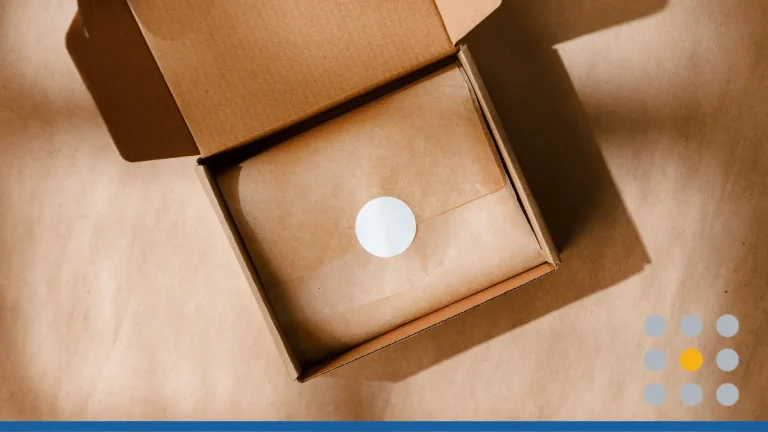
One of the smartest uses for business cards in an online business is inside your packaging. Customers are already engaged during the unboxing experience, so a card or insert can turn that attention into a review, repeat purchase, or social interaction.
Instead of relying on a plain packing slip alone, use a small branded card with a thank-you message on one side and a single next step on the other.
Examples include:
- Thanks for your order. Scan here to shop again.
- Loved your purchase? Leave a quick review.
- Follow us on Instagram for new drops and restocks.
- Use code THANKYOU10 on your next order.
This works especially well for Etsy shops, print-on-demand stores, and creator-led brands because it turns a routine shipment into a lightweight retention tool.
Cards can also support customer advocacy. A small insert can prompt people to post an unboxing, share a photo, refer a friend, or redeem a return-customer offer
Useful prompts include:
- Tag @[yourbrand] to be featured.
- Share your order with #YourBrandName.
- Give 10% to a friend and get 10% off your next purchase.
- Scan to upload a photo and leave a review.
Because printed cards are relatively affordable, you can test several messages in small batches and compare which ones generate more engagement
Best Places To Leave Business Cards
If you run an online-only brand, there are still many offline spaces where your cards can work quietly in the background. The key is choosing places that match your audience and asking permission before leaving anything behind.
Good options include:
- Boutiques, salons, and spas that serve a similar customer base.
- Cafés with community boards or local business areas, including a coffee shop that welcomes local partnerships.
- Libraries, bookstores, coworking spaces, and community centers, where allowed, near relevant publications tied to your topic.
- Public bulletin board spaces in high-traffic spots like town halls and senior centers.
- Craft fairs, markets, workshops, and networking meetups.
- Waiting areas in laundromats, grocery stores, and salons can also work if you have permission to leave business cards where prospective customers have time to notice them.
At events, cards can be displayed on tables, placed in shopping bags, shared with printed handouts, or set out before a class or workshop begins.
Business Card Design Ideas For Online Brands
A card should reflect the same brand personality people see on your website, storefront, and social channels. Visual consistency helps customers recognize your business more quickly when they move between online and offline touchpoints. Strong business card design often starts with professionally designed business card templates that match your brand personality and help your card stand out.
Start with the basics:
- Your logo for instant recognition.
- Brand colors and fonts that match your site and social presence.
- A small image, icon, pattern, or texture that fits your brand and helps showcase what you sell.
A one-sided layout is often enough if your message is simple and your CTA is clear. A double-sided card works better when you want one side for branding and the other for a QR code, discount, review request, care instructions, or a short thank-you message.
You can customize ready-made templates with your own logo, update images, and draw inspiration from your industry to fit different clients.
Three styles often work well for creators and e-commerce brands:
- Minimalist: lots of white space, clean type, one link or QR code.
- Product-led: visual imagery on one side, details and CTA on the other.
- Personality-led: playful tone, expressive colors, and a stronger founder or creator presence.
Connect Cards To Digital Tools With A QR Code
Business cards are more effective when they lead into your broader marketing system. Unlike a digital business card, a printed card can use a dynamic QR code to direct people to a portfolio or other digital resources without requiring them to type long URLs on mobile devices.
Useful destinations include:
- A link-in-bio style page with your most important links.
- An email signup page with a freebie or first-order discount.
- A landing page built specifically for card recipients.
- A portfolio page with work samples, especially for service-based or creative brands.
- A featured collection or start here page on your shop.
This approach turns a printed card into a measurable acquisition or retention channel rather than a static piece of branding.
How To Track Business Card Results
You do not need advanced analytics to understand whether your cards are working. A few simple tracking methods can show whether people are scanning, visiting, or purchasing after receiving one.
Try these options:
- Add a unique coupon code such as CARD15.
- Use a short URL like [yourbrand].com/hello.
- Create separate landing pages for different card versions.
- Compare results from different offers, messages, or QR destinations.
This lets you improve your card strategy the same way you would improve an email campaign, ad, or landing page.
Create Your Business Cards in 3 Simple Steps
If you are starting from scratch, keep the process straightforward. A focused card usually performs better than one trying to do everything at once.
- Choose one main goal, such as getting people to visit your shop, join your email list, or follow your brand.
- Build the layout around that goal with your logo, a short promise, and a QR code or short link.
- Print a small test batch, use it in packages and real-life settings, then refine the design based on response; when you print business cards, test both the message and the physical finish.
Many business card printing services also let you choose paper stock in the 350-400 gsm range and upgrade with finishes like spot UV, matte lamination, or foil stamping, so the paper feels as strong as the first impression.
Formats to consider include Original Business Cards for standard cardstock, Cotton Business Cards for an eco-friendly textured feel, Gold Foil Business Cards for a premium look, Letterpress Business Cards for tactile depth, and Spot Gloss Business Cards for selective shine.
When you are ready to use business card printing services, you can review our Business Card Maker, our templates, and start exploring your offline marketing ideas with our support!
FREQUENTLY ASKED QUESTIONS
Do online businesses need physical business cards?
They are not mandatory, but they can be a low-cost way to boost visibility, encourage repeat purchases, and follow up after in-person interactions or delivered orders. They work especially well for Etsy sellers, creators, and brands that mix online selling with occasional offline touchpoints.
What should an Etsy seller include on a business card?
A clear shop name, logo, direct URL or QR code, short product description, and one or two social handles are usually enough. The reverse side can include a thank-you note, a review reminder, or a discount code for future orders.
Are QR codes worth using on business cards?
Yes. They reduce friction by taking people directly from a printed card to your digital destination, whether that is your store, a signup page, or a curated landing page.
Where should an online-only business leave cards?
Focus on places your target audience already visits, such as cafés, boutiques, salons, coworking spaces, community boards, classes, and local events. Always get permission before placing them.
How many cards should I print first?
A small batch is usually the best starting point when you are testing a new message, layout, or offer. Once you see how people respond, you can revise the design and order more confidently.
Can one design work for both networking and package inserts?
Yes, as long as the primary call to action fits both uses. If your networking goal is different from your post-purchase goal, it may make sense to create two card versions instead.