When you think of business cards, maybe you imagine stacks of glossy rectangles that cost a fortune to print. But here’s the truth: creating budget business cards that still look professional and eye-catching is easier—and cheaper—than ever before. You don’t need to break the bank to leave a good impression with potential clients.
Whether you’re a freelancer, small business owner, or just someone with a side hustle and a dream, your business card is often the first physical product people see that represents your brand.
Let’s walk through how to create standout cards using free tools, customizable templates, and smart printing options. And yes, all while keeping your cost low and your creativity high.
- Do Business Cards Work? Why They Still Matter
- What Makes a Good Business Card
- What to Put on a Business Card
- Start with Free Tools & Templates
- Design Tips That Won’t Cost a Dime
- Paper Stock & Finish: What’s Worth Paying For?
- What Are the Best Places to Leave Business Cards?

Do Business Cards Work? Why They Still Matter for New Businesses
Do business cards work in a digital-first world? The answer is a clear yes. Far from being obsolete, business cards remain one of the most effective networking and branding tools for new businesses.
Not only are they essential at networking events, conferences, and casual meetups, but business cards are also a classy way to keep your details handy without fumbling with your phone.
Business cards work because they bridge the gap between offline and online networking, trigger valuable follow-up actions, and unlock referral potential—especially powerful given that most people trust word-of-mouth recommendations above all other advertising. They can even secure immediate bookings when you add appointment slots or a QR code to your scheduling system.
To make your cards work harder, focus on strong design, brand-consistent themes, personalization space, special offers, and premium textures or unconventional shapes that make a lasting impression. Done right, a well-crafted business card is a small investment that delivers real, measurable returns for growing businesses.
What Makes a Good Business Card?
Understanding what makes a good business card comes down to one core principle: it should communicate who you are quickly, clearly, and memorably. A great card is more than a scrap of contact information—it’s a tangible extension of your brand that keeps working long after a conversation ends. When someone reaches into their wallet weeks later and finds your card, it should instantly remind them of you and make it effortless to get in touch. Getting there requires balancing a handful of essential elements.
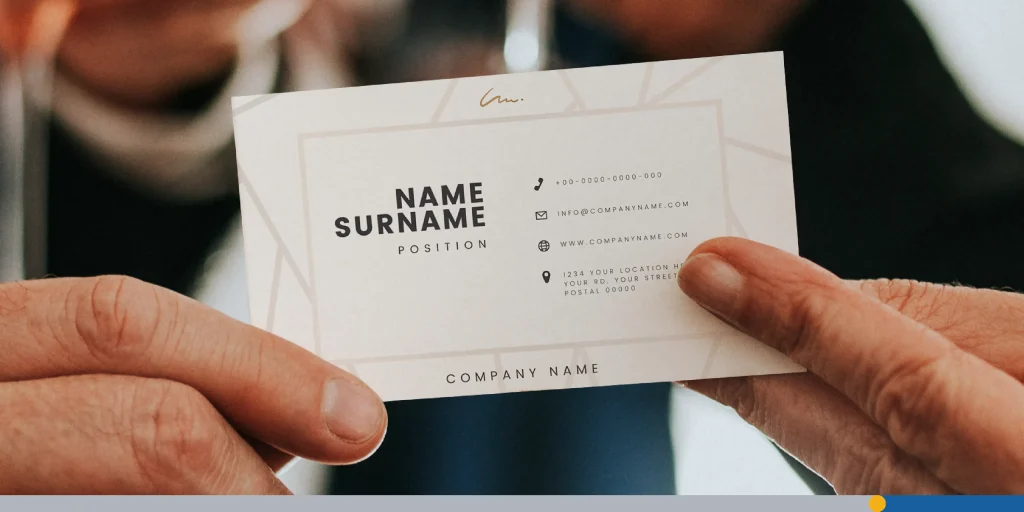
Clear, well-organized information. The foundation of any good business card is legible, easy-to-scan contact details. Include your name, job title, company name, phone number, email, and website—and give each piece of information room to breathe. Offering more than one way to reach you makes it simple for a prospective client to connect through whichever channel they prefer.
On-brand design. A good business card mirrors your brand’s personality and visual identity. Whether your style leans minimalist and understated or bold and vibrant, the card’s colors, fonts, and layout should feel consistent with the rest of your branding. Featuring your logo prominently ties everything together and strengthens recognition every time the card changes hands.
A consistent color scheme. Sticking to your established brand colors reinforces identity and makes your card feel intentional rather than thrown together. A cohesive palette also helps the most important elements stand out.
Readable typography. Fonts should be clean and legible, even at small sizes. Resist the temptation to combine several typefaces or use overly decorative lettering, since both tend to clutter the design and undermine readability—the very thing a business card depends on.
Smart use of white space. Empty space isn’t wasted space. Giving your design breathing room prevents a cramped, overwhelming look and naturally draws the eye toward key details like your name and contact information. Restraint almost always reads as more professional than cramming everything onto the card.
Visual hierarchy. A strong card guides the reader’s attention deliberately, emphasizing the most important information first. Thoughtful sizing, weight, and placement ensure that the details you most want remembered are the ones that jump out.
Beyond these fundamentals, small choices can elevate a good card into a memorable one. Unique shapes, rounded corners, or unexpected materials like metal or wood create a tactile impression that a standard rectangle can’t match. Special finishes—gold foil, embossing, or a spot UV treatment—add a sense of quality and sophistication that people notice the moment they touch the card. A QR code can bridge the gap to your digital presence, linking directly to your portfolio or website, as long as it’s placed where it won’t crowd your other details. And don’t overlook the back of the card: that blank surface is valuable real estate for reinforcing your message or simply leaving space for notes.
Finally, execution matters as much as design. Even the smartest layout falls flat if it’s printed poorly, so invest in quality paper stock and printing techniques that make the card feel substantial in hand. Proofread every line carefully before printing—a typo in your phone number or email quietly defeats the card’s entire purpose.
Ultimately, what makes a good business card is the balance between aesthetics and function: a design attractive enough to catch the eye, yet clear and practical enough to do its job. Keep it simple, stay true to your brand, and prioritize the reader’s experience, and your card will leave the lasting impression every good business card is meant to make.
What to Put on a Business Card
Knowing what to put on a business card is the difference between a forgettable scrap of paper and a networking tool that actually earns you follow-up calls. A great card does two jobs at once: it tells people who you are and it makes it effortless for them to reach you. Whether you’re an established professional or figuring out what to put on a business card for small business growth, the essentials below will keep your design clean, credible, and effective.
Start with your brand identity. Your logo should be one of the first things people notice, since it establishes your company’s brand at a single glance. Pair it with your business name and, if your name doesn’t obviously communicate what you do, a short tagline. A line as simple as “Business Consulting for Creatives” instantly clarifies your offering. For small businesses especially, the logo and tagline are what turn a stranger into someone who remembers your company later.
Add your name and title. Include the name you actually use in professional settings rather than a formal, legal version no one calls you. The same flexibility applies to your job title: you can adjust it to clarify what you do rather than quoting an internal HR label. If you’re a solo operator or small business owner, this is a smart place to summarize your specialty, such as “Marketing Consultant – Local Retail,” so people immediately understand who you serve.
Make it easy to contact you. Contact details are the heart of any business card. Include a phone number, and always label what kind of number it is with a small “o” for office or “m” for mobile so no one texts a landline. You get to decide your own boundaries here: if you’d rather keep work and personal life separate, listing only your office line is perfectly acceptable. Just as important, offer at least one written contact method. Plenty of people prefer email or text over a phone call, so an email address ensures introverts and busy contacts alike can reach you on their terms.
Include location and web presence thoughtfully. A full street address is no longer mandatory, particularly for remote teams, freelancers, and home-based small businesses that don’t want to hand out a personal address. Still, listing your city and state is a helpful courtesy that jogs a contact’s memory after an out-of-town event. Your website is essential, though. In an age when people Google everything, printing your web address saves them the search and ensures they don’t confuse your company with a similarly named competitor. For small businesses, add your most active social media handle if it’s where customers actually engage with you.
Leave room to breathe. One of the most overlooked answers to “what to put on a business card” is actually what to leave off. Resist the urge to cram every detail into the layout. Open, uncluttered space, what designers call negative space, gives your card a modern, organized look and signals professionalism. It also leaves physical room for you or your new contact to jot down a note, a meeting date, or a reminder of how you met, which keeps your card out of the recycling bin.
A quick checklist of what to put on a business card:
- Business logo and company name
- A tagline (if your name doesn’t explain what you do)
- Your name and a clear job title or specialty
- A phone number, labeled office or mobile
- A written contact method, usually email
- City and state (full address optional)
- Website and key social handle
- Generous open space for a clean design
Nail these fundamentals and you’ll have a card that does more than share information; it makes the right first impression and gives every new contact an easy reason to follow up.
Start with Free Tools & Business Card Templates
Creating business cards used to require graphic design skills and expensive software. Now? Not so much. Plenty of online tools make it easy to browse and customize free business card templates. A few popular platforms include:
- FreeLogoServices: An excellent online tool for delivering quick results to anyone who needs a business card online. It comes with hundreds of templates, with the design being free of charge.
- Canva: Very beginner-friendly with drag-and-drop features. You can find minimal, bold, colorful, and elegant business card templates—just choose your style.
- Adobe Express (formerly Adobe Spark): Offers sleek templates with room for full customization.
- Microsoft Designer: While perhaps less specialized, tools like Microsoft Designer (with its AI features) have templates that can be adapted for basic business card design if your needs are simple.
- VistaCreate (formerly Crello): Similar to Canva, VistaCreate provides a wealth of templates and design assets, great for experimenting with different visual styles.
You can start with a template, then customize the size, finish, layout, and even upload your own design or logo.
Design Tips That Won’t Cost a Dime
Alright, so you’ve found your perfect template, or you’re ready to start from scratch. Now what? Time to bring it to life. Here are some easy (and free) design tips to keep your card professional:
1. Keep it Simple (The Less is More Mantra)
A cluttered card is hard to read and looks clumsy. Stick to essential details: name, title, contact info, website, and maybe one color or logo to make it pop. Apply filters solely to simplify the final design while still allowing for the distinction of the product being presented.
2. Make it Readable
Your contact information is crucial. Choose clean, easy-to-read fonts. Avoid overly scripty or decorative fonts for essential details.
Aim for a font size that’s legible (typically 7 – 8pt minimum for supporting text, larger for your name/company). Limit yourself to 2-3 font styles to maintain consistency.
3. Use High-Quality Images & Logos
If your business includes visual work, like photography, art, or design, or if you’re using a logo, ensure it’s a high-resolution file. A pixelated or blurry image will instantly cheapen your card’s appearance, and it can work well on a beverage brand or a full-screen web page. Many free tools offer libraries of free stock elements, or you can use sites like Unsplash or Pexels for high-quality imagery (always check licenses).
4. Embrace White Space
Don’t try to fill every millimeter of the card. Negative (or white) space helps elements breathe, improves readability, and contributes to a more sophisticated, uncluttered look.
5. Think About Shape
While the standard rectangular card (typically 3.5 x 2 inches or 85 x 55 mm) is the most budget-friendly, some tools let you design for square, rounded corners, or even vertical orientations. These can help you stand out but may incur slightly higher printing costs.
Paper Stock & Finish: What’s Worth Paying For?
Now, let’s talk paper stock and finish. This is one area where a little extra cost can go a long way.
Here are common choices:
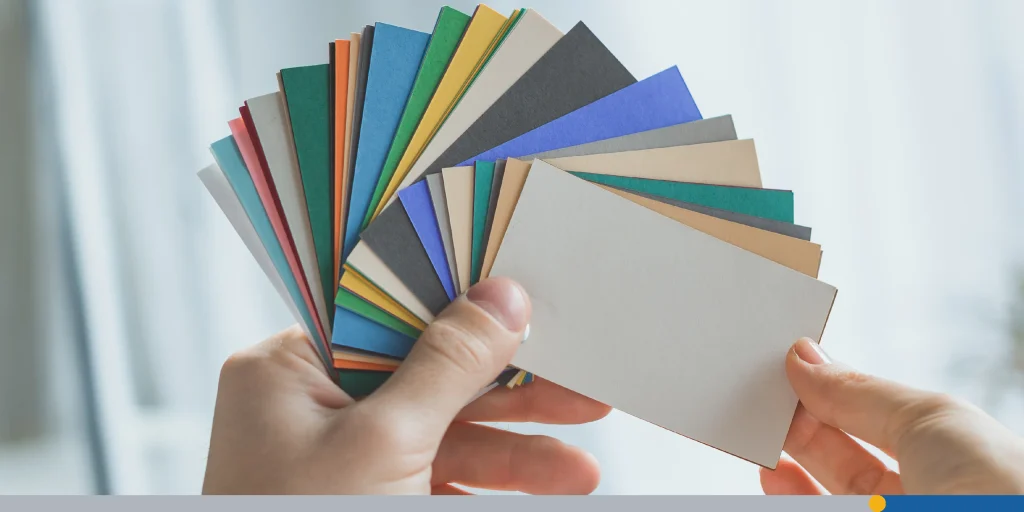
- Standard matte: A classic, clean, no-glare finish. It’s easy to write on, which is a plus if you want to add a personal note.
- Glossy: Features a shiny, reflective coating that makes colors appear more vibrant and can protect against moisture. Best for image-heavy designs.
- Premium uncoated/textured: Can include options like linen, laid, or felt. These offer a tactile experience that feels more luxurious and professional.
- Recycled: An excellent choice for eco-conscious brands, often with a natural, slightly textured feel.
Pro tip: Order a free sample pack from printing companies. Feel the difference in your hand before you choose your product.
Where to Print (Without Emptying Your Wallet)
So, your card is designed. Where do you actually get it printed? You’ve got options that won’t wreck your budget:
- Vistaprint: Affordable and frequent promo codes.
- Moo: Slightly higher price, but they offer creative templates and thick paper stock.
- GotPrint: Budget-friendly, good for large orders.
- Local print shops: Don’t overlook the place down the street. Sometimes you can save on shipping.
Always upload your file in the format they request (usually PDF with bleed and crop marks). Check twice before you hit order!
Creative Budget Hacks for Maximum Savings
Need to shave a few more bucks off? Here are clever ways to stay frugal:
- DIY printing (proceed with caution): If you have a good quality printer and plan to print very small quantities, you can buy perforated business card paper stock online or from office supply stores. However, be mindful of ink costs and the potential for a less professional finish compared to commercial printing.
- Bundle orders: If you have friends or colleagues who also need cards, see if you can combine orders with a printer to take advantage of volume discounts.
- Print on one side only: Skipping double-sided printing can significantly cut costs.
- Go Black and white: A monochrome design can be very chic, modern, and is often cheaper to print than full color.
- Look for “free” business card offers: Some printers offer a very small batch of free business cards (e.g., 100-250 cards). The catch? They usually print their logo on the back. This can be a starting point if your budget is truly zero.
- Use QR codes strategically: Instead of trying to cram every piece of information onto the card, include a QR code that links to your website, portfolio, or LinkedIn profile where more details are available.
Branding That Sticks
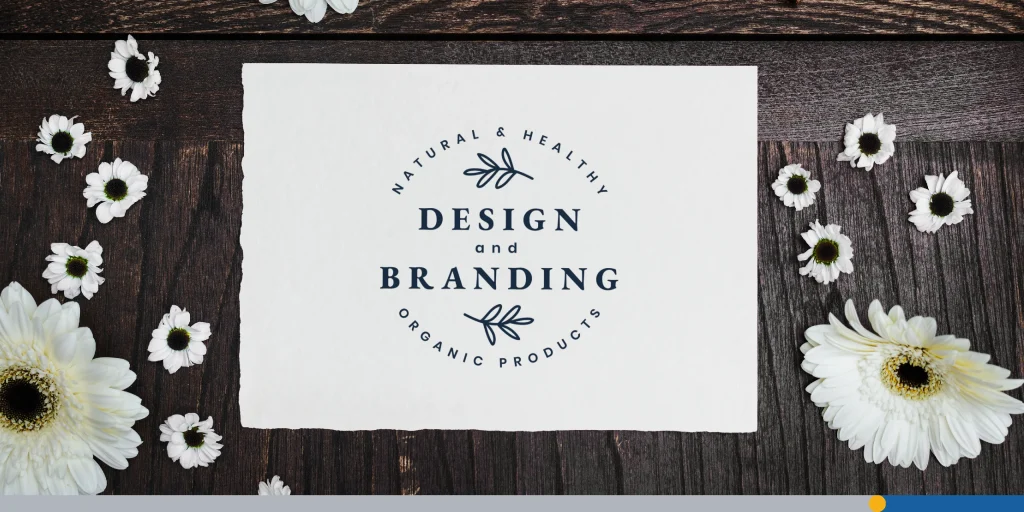
Your business card is your brand ambassador. Make sure your design aligns with your overall vibe. A yoga instructor might use soft colors and calming fonts. A tech entrepreneur might go bold with sharp edges and bright accents.
The point is: your card should feel like your brand. Use consistent images, fonts, and color schemes.
The Little Details That Make a Big Difference
Sometimes it’s the little things that leave the biggest impression:
- Add a QR code: As mentioned, this is a fantastic way to link to your online presence (website, portfolio, LinkedIn, online store).
- Use icons for contact methods: Small, universally recognized icons for phone, email, website, and social media can save space and add visual appeal.
- Include a brief tagline or mission statement: A short, memorable phrase that encapsulates what you do or what your brand stands for can be very effective.
- Consider the back: If your budget allows for double-sided printing, use the back for a secondary message, your logo, a QR code, a small portfolio image, or even leave it blank with a matte finish for writing notes.
And always double-check your details—a typo in your email can cost you a client!
Final Touches: Don’t Forget These!
- File size and resolution: Make sure your final file meets print quality standards—300 DPI is the norm for high-quality prints that look great with any graphic or font.
- Bleed area: Allow for cutting errors by extending background images. Your printer template or design tool should provide this information so that no important details are missing in the final trim.
- Proofread, then do it again: Seriously. Get a second pair of eyes. Typos in the email address, phone number or any other detail won’t go unnoticed by anyone trying to contact you. If they fail to contact you, they surely won’t consider looking for more details or asking around.
What Are the Best Places to Leave Business Cards?
Even in a digital-first world, business cards remain a powerful marketing tool. They put all your contact information in one place, let prospects reach out on their own terms, and help you make connections you’d otherwise miss. If you’re wondering where to put business cards for maximum reach, here are some of the best places to leave business cards to grow your audience.
- Past clients. Happy customers make ideal ambassadors. Give loyal clients extra cards to pass along to friends and family, and consider referral incentives to encourage word-of-mouth.
- Malls and food courts. These draw diverse crowds and are full of seating areas where people relax. Tables, condiment counters, kiosk counters, and play areas are great spots for idle browsers to notice your card.
- Relevant books and magazines. Slip cards into industry-related titles at local libraries and bookstores to reach a focused, relevant audience.
- Affiliate businesses. Partner with non-competing businesses that share your customer base and swap cards to send each other referrals.
- Public bulletin boards. Grocery stores, community centers, libraries, college campuses, churches, gyms, and laundromats often allow public postings.
- Banks and ATMs. High-traffic lobbies, check desks, and ATM areas keep your card visible even after hours.
- Waiting rooms. A captive audience with time to spare—think doctors’ and vets’ offices, salons, hotels, airports, auto shops, and transit stations.
- Municipal buildings. City halls, visitors centers, tax offices, and courthouses are free, accessible spots that attract active community members.
- Schools and colleges. Faculty rooms, food courts, lounges, libraries, and dorm areas help you reach educators or the general student population.
- Industry-specific spots. Tailor your strategy to your audience—real estate offices for home-improvement services, daycares for children’s products, salons and spas for a broad female audience.
The key is to treat card distribution as a numbers game at first, then double down on the locations that generate the best results.
Conclusion
Creating impactful business cards doesn’t require a huge budget, especially at the start. You don’t have to go for the finest print stock or print both sides. Simpler business cards can also work great if you know where to focus.
Our recommendation?
Tools like the ones mentioned earlier, including Canva or dedicated solutions like FreeLogoServices and our Business Card Maker, put these capabilities at your fingertips.
With the plethora of free design tools and templates available, coupled with smart design choices and budget-conscious printing options, you can produce professional-looking cards that effectively represent your brand and help you make meaningful connections—all without maxing out your credit card.
FREQUENTLY ASKED QUESTIONS
Can I really create business cards for free?
Absolutely! Many design platforms, such as FreeLogoServices or Canva, let you design and download your cards at no cost. You only pay for printing.
What’s the best size for a business card?
The standard size in the US is 3.5 x 2 inches. In Europe and many other parts of the world, it’s often 85 x 55 mm. While these are most common and cost-effective, you can explore square, mini, or custom shape options if you want to stand out, though they might cost more.
Should I use a template or my own design?
Both are great! Templates make it easy, but if you have design skills or a clear vision, go with your own design.
What kind of paper should I choose?
It depends on your budget and brand. Matte is classic; glossy is flashy; textured feels premium.
Can I print business cards at home?
Yes, especially if you’re on a tight budget. Just invest in decent paper stock and make sure your printer settings are optimized.
What are common mistakes to avoid when designing business cards?
- Too much clutter/information.
- Fonts that are too small or hard to read.
- Typos or incorrect information.
- Low-resolution images or logos.
- Not including a bleed, leading to white edges.
- Choosing a flimsy paper stock that feels cheap.
How many business cards should I print?
Start small—100 to 250 is a safe bet. You can always reorder once you know what works.
What if I change my contact info later?
It won’t be an issue. Just update your file and print a new batch. That’s the beauty of small, budget-friendly runs!