
Connecting Your Domain to Wix’s Hosting Server
Connecting your domain name to a hosting server allows you to create and publish a website for the public to see. Hosting your website is essential for allowing public access to internet users and to be found on the world wide web. Connecting your domain allows you to keep your domain name subscription with a trusted domain provider while using the hosting services and website tools of another company, like Wix.
Before you can connect your domain to Wix please make sure you have the following:
- Opens a new windowUpgrade your site to a Premium Plan
- Opens a new windowAdd your domain to your Wix account (part 1)
To connect your domain to Wix, please follow this step-by-step guide:
1. Sign into your account on our site.
2. Click “Manage Website” for the Domain Name you would like to alter.
Opens a new window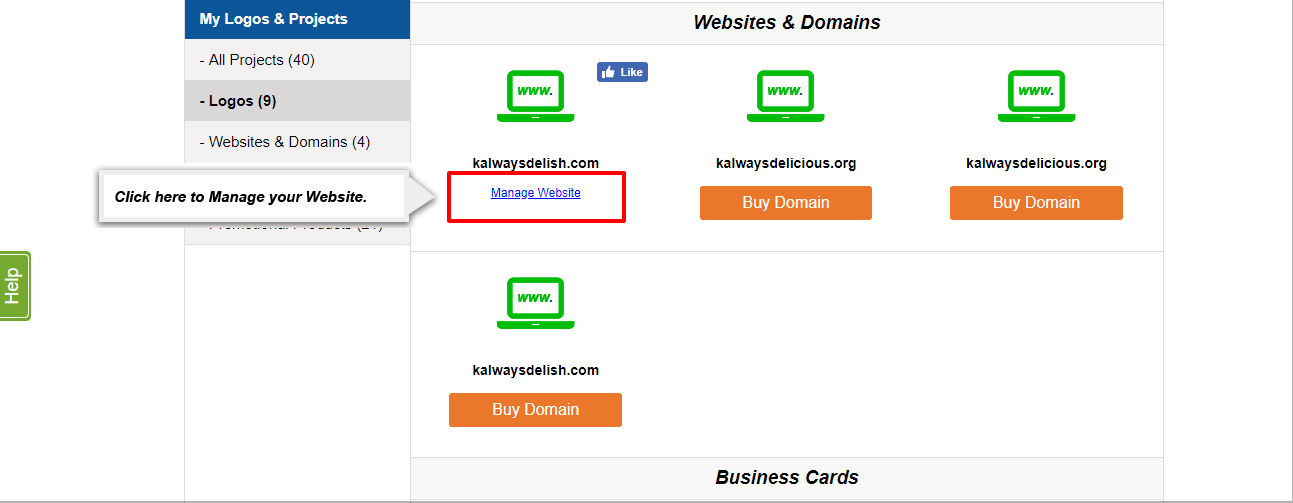
3. Click “View Nameservers & Zone” within the DNS & Nameservers Section.
Opens a new window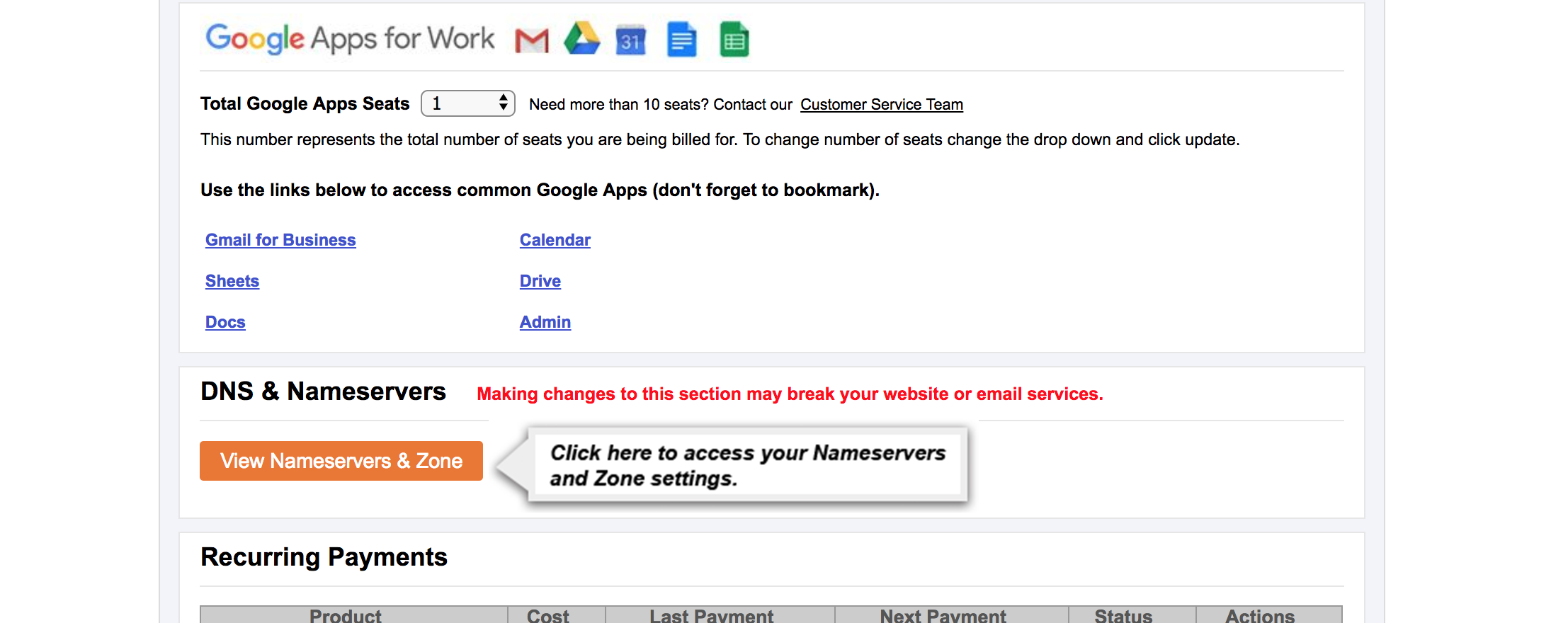
4. Click “Edit My Zone File”.
Opens a new window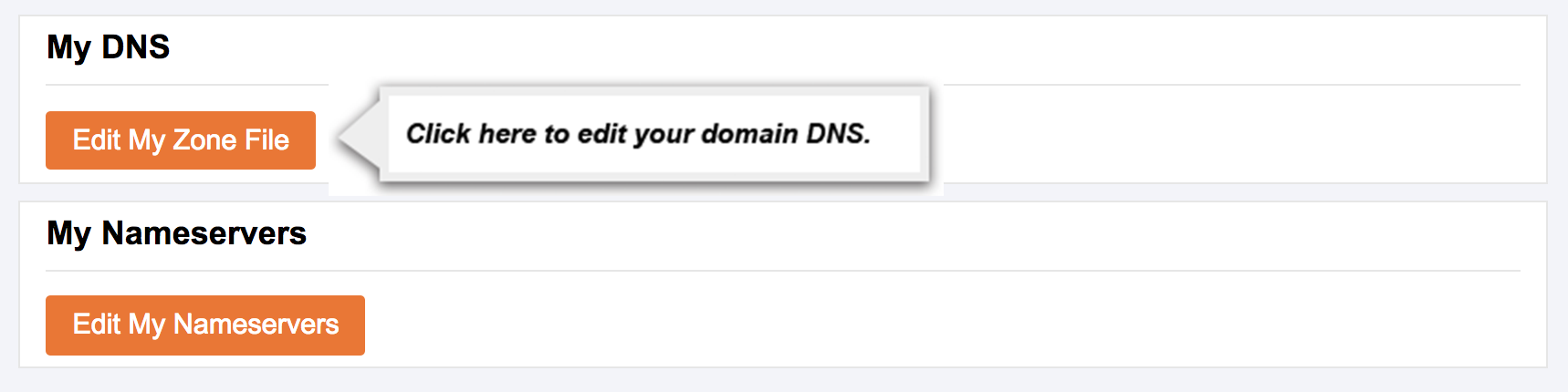
5. Find your Wix Name Server Records here.
6. Copy your Wix A Record and replace the 199.34.228.59 value of the A Record at the top of your DNS Settings.
Opens a new window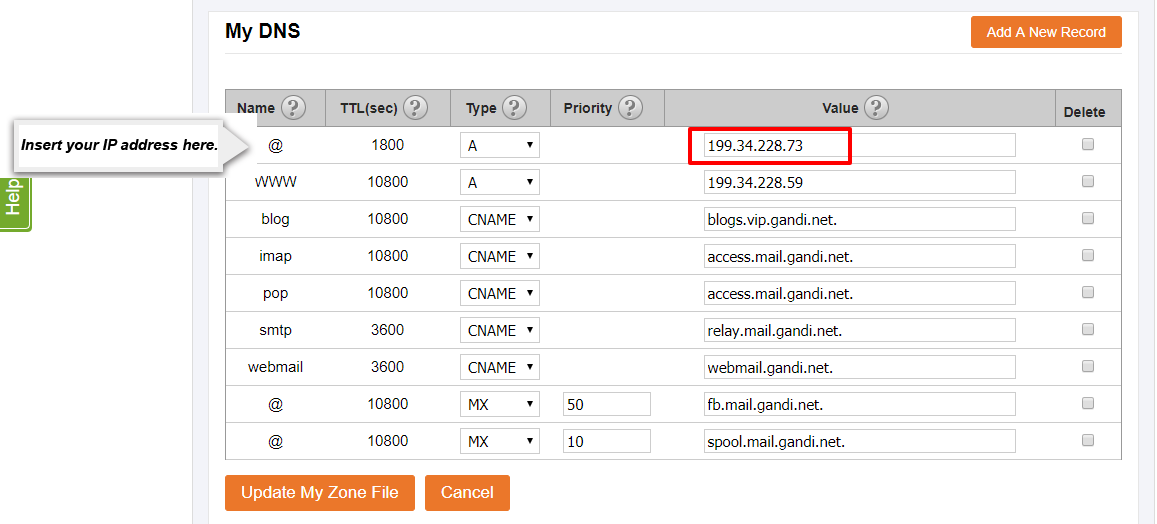
7. Click “Add A New Record”, then copy the CNAME Record from Wix and paste it into the value input on the new Record row. Make sure the name of this new record is www, the TTL is set to 10800, and the Type is set to CNAME.
Opens a new window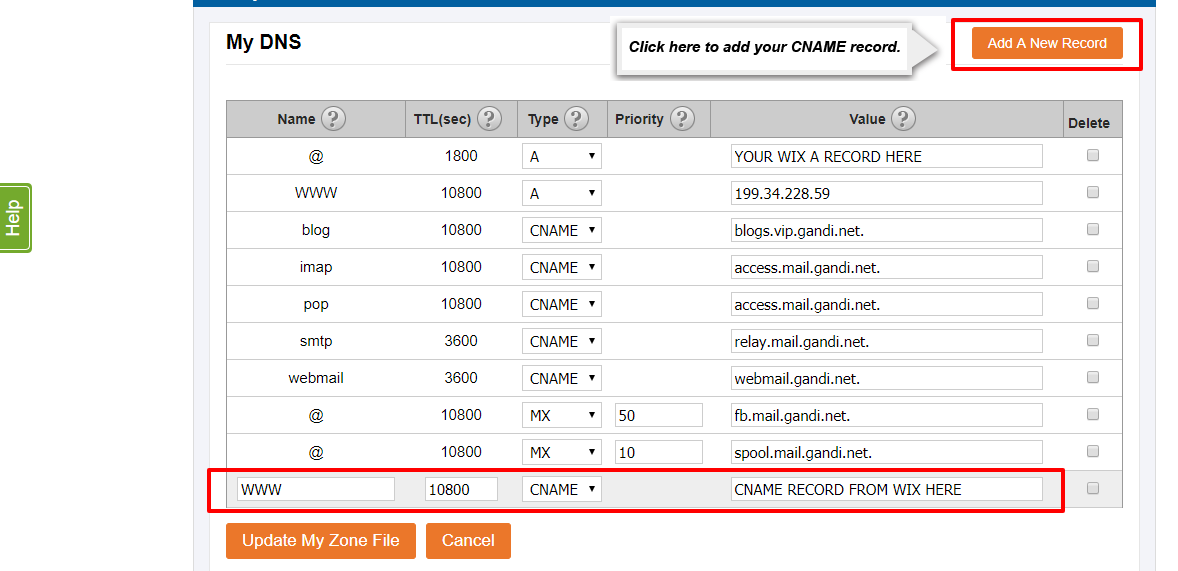
8. Click “Add A New Record”, then copy the CNAME Record from Wix and paste it into the value input on the new Record row. Make sure the name of this new record is M, the TTL is set to 10800, and the Type is set to CNAME.
Opens a new window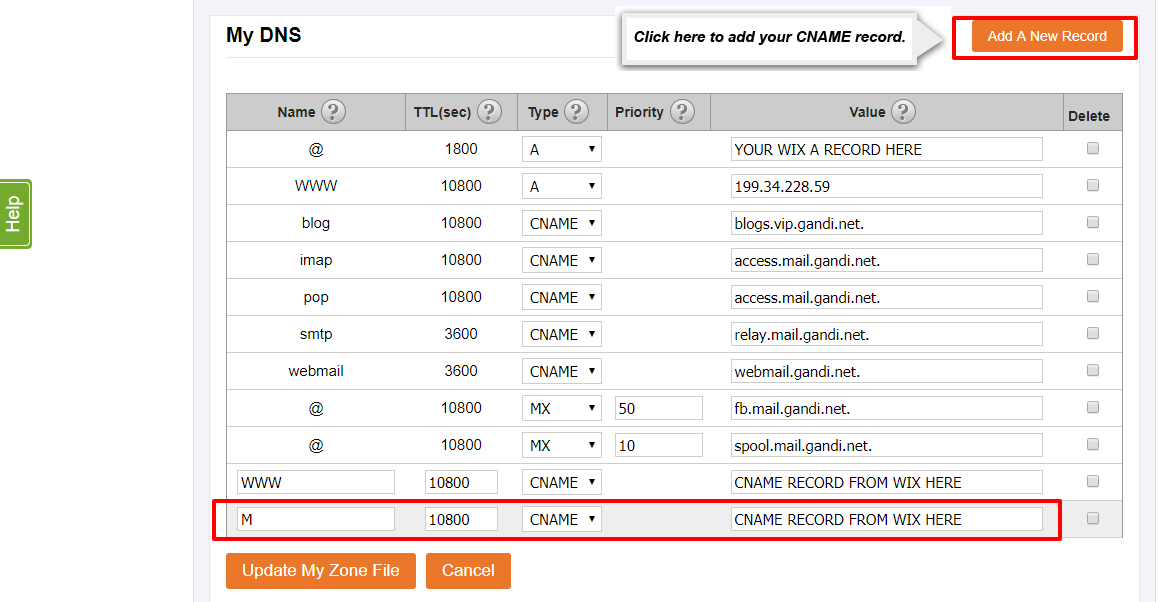
9. Click on the Delete checkbox next to the A Record still set to 199.34.228.59
Opens a new window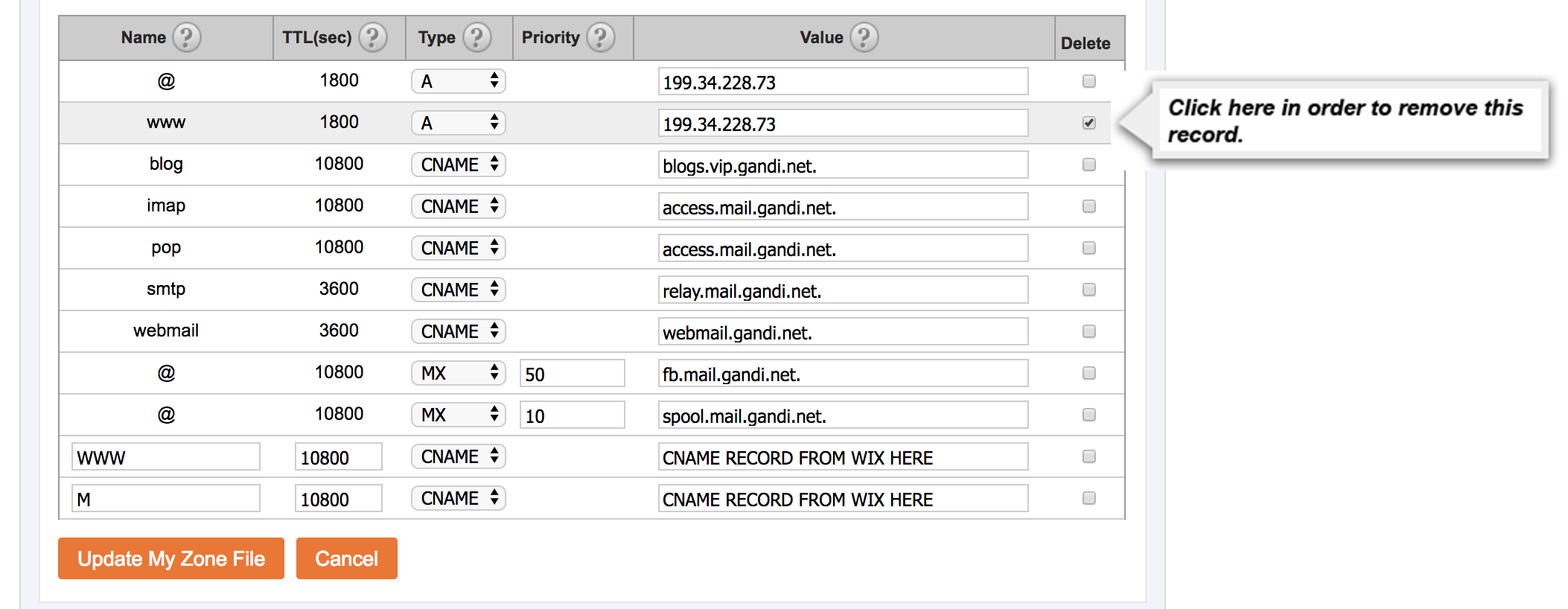
10. Click “Update My Zone File".
Opens a new window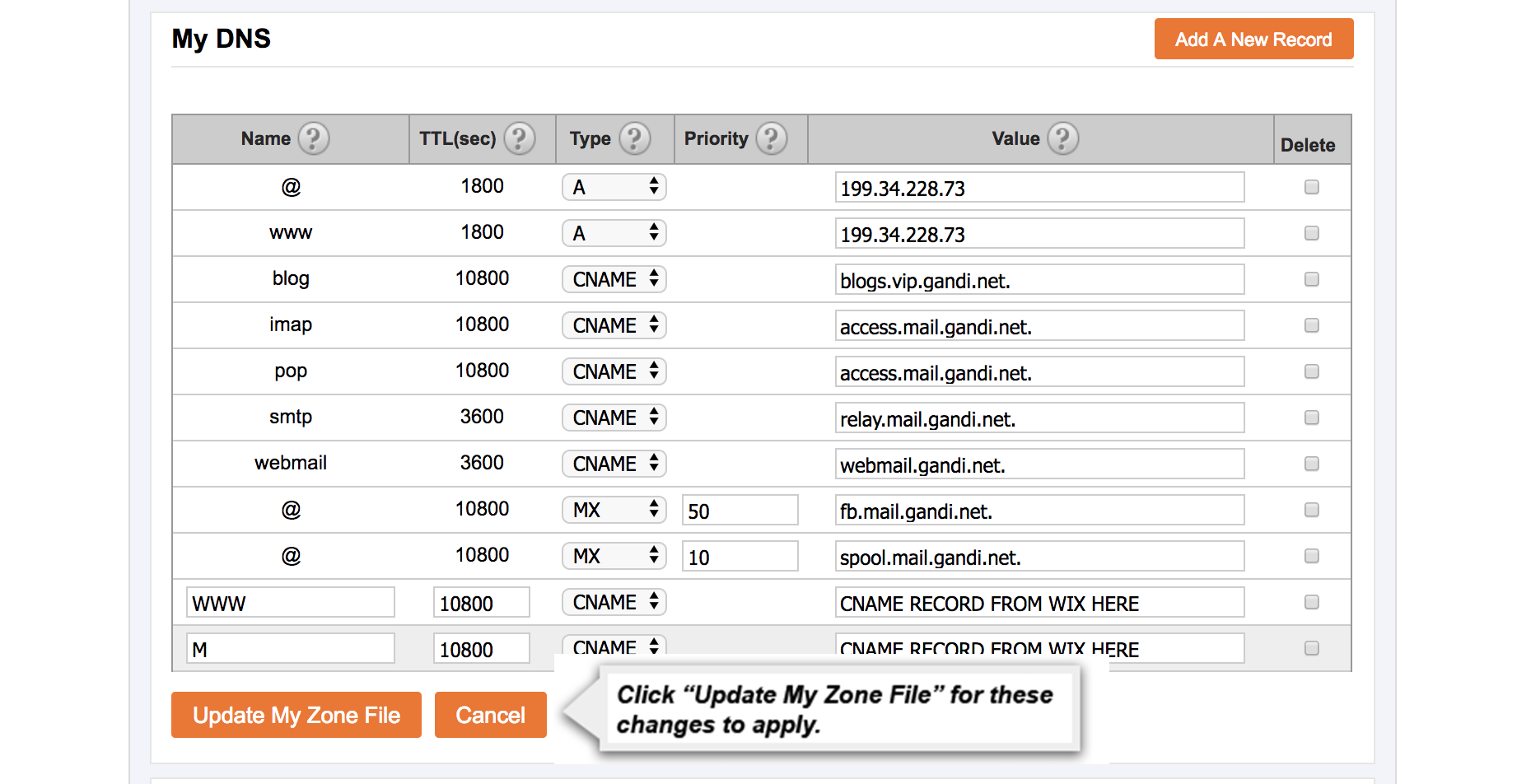
If you have any trouble connecting your domain to Wix please contact customer service by using the "Submit A Request" in the top right corner.