Congratulations on establishing an online presence for your business! Curious about how or where to start? Below please find some simple definitions of the terms and instructions for how to start your online journey.
Domain: This is your registered address on the web. Think of it as a home address such as 1234 Long Way, but it's actually a web address. Whether you have your domain with our company or someone else, you will need to pay a yearly fee to maintain registration of the address. You don’t just need a domain to have a website--you will need to “build” on your domain to complete and publish a website.
Website: The actual website pages with content and images built and published on your domain. When you visit someone’s domain, this is what you see in your browser.
Website Hosting: In order to publish a website online and to keep it live, you need Web hosting. Web Hosting is the storage of all of the pages of your website and it makes them available to computers connected to the Internet. The domain name, such as "sony.com," is actually linked to an IP address that points to a specific server or cloud storage. When somebody enters your domain name into their browser's address field, the IP address is located and website is loaded from that server or cloud storage.
Almost all host providers have a monthly or yearly fee to cover hosting your website live on the internet. This is why you have a recurring monthly payment with us to maintain your services. Your monthly fee also covers continued access to your website editing tool for any changes you would like and may include email services.
Website: The actual website pages with content and images built and published on your domain. When you visit someone’s domain, this is what you see in your browser.
Website Hosting: In order to publish a website online and to keep it live, you need Web hosting. Web Hosting is the storage of all of the pages of your website and it makes them available to computers connected to the Internet. The domain name, such as "sony.com," is actually linked to an IP address that points to a specific server or cloud storage. When somebody enters your domain name into their browser's address field, the IP address is located and website is loaded from that server or cloud storage.
Almost all host providers have a monthly or yearly fee to cover hosting your website live on the internet. This is why you have a recurring monthly payment with us to maintain your services. Your monthly fee also covers continued access to your website editing tool for any changes you would like and may include email services.
Now that we’ve defined the basic terms, we’re happy to provide further information on what to do you with your newly registered domain and how to access your domain settings.
If you have not already, you can upgrade your domain with us to a website hosting package and begin designing your website right away. We have several packages available from a DIY website package to a fully customized service provided by a web developer. To upgrade your domain to a website package with us, please follow the steps below:
If you have not already, you can upgrade your domain with us to a website hosting package and begin designing your website right away. We have several packages available from a DIY website package to a fully customized service provided by a web developer. To upgrade your domain to a website package with us, please follow the steps below:
1. Log in to your account on our website.
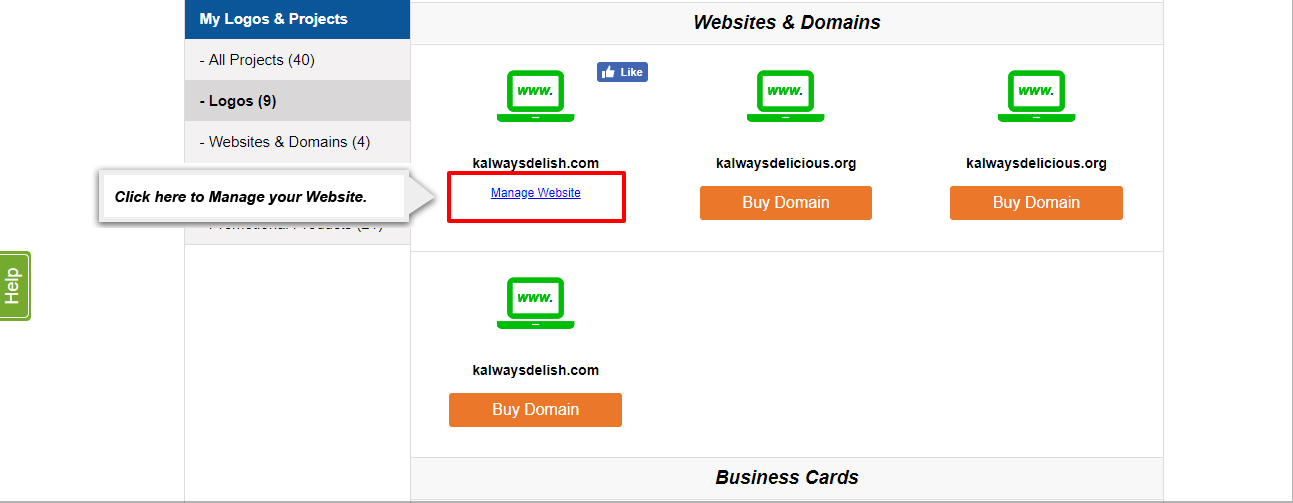
2. Go to the “My Projects” page via the drop down menu in the upper right hand corner on any page of our site (this should appear once you log in).
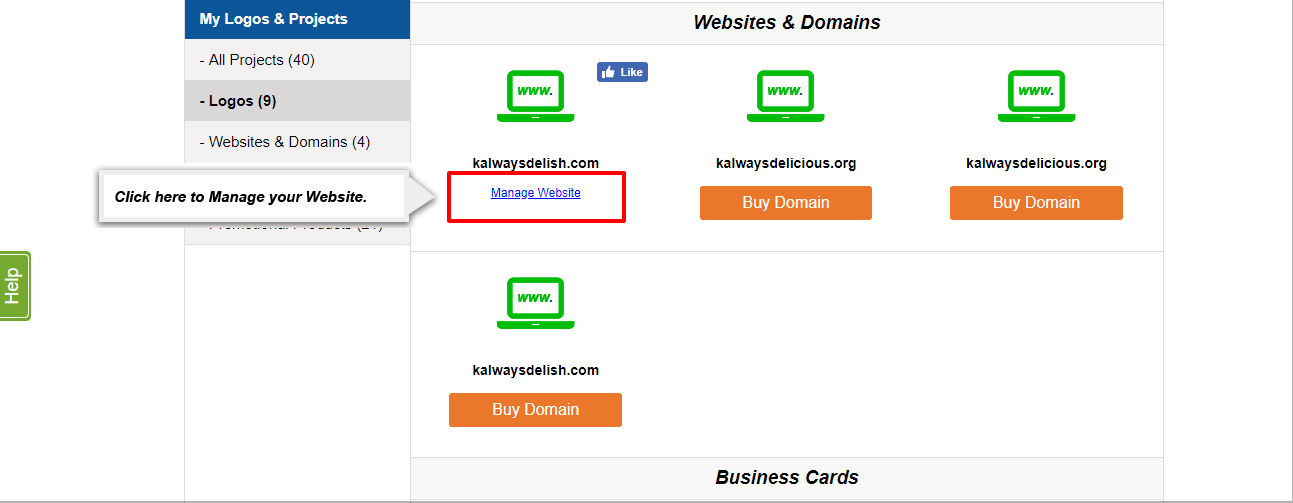
3. Locate the domain that you registered on the left hand side. There will be a white “Manage” button next to the domain you registered. Click on the “Manage” button to be taken to your domain management page. You can then click on: “Buy Website Builder” to view our website packages and upgrade your domain.
2. Go to the “My Projects” page via the drop down menu in the upper right hand corner on any page of our site (this should appear once you log in).
3. Locate the domain that you registered on the left hand side. There will be a white “Manage” button next to the domain you registered. Click on the “Manage” button to be taken to your domain management page. You can then click on: “Buy Website Builder” to view our website packages and upgrade your domain.
If you already have a website or if you have purchased a website builder with another company, you can also point the domain you bought with us to your existing website by editing your domain settings using our site. Please follow the steps below:
1. Log in to your account on our website.
2. Go to the “My Projects” page via the drop down menu in the upper right hand corner on any page of our site (this should appear once you log in).
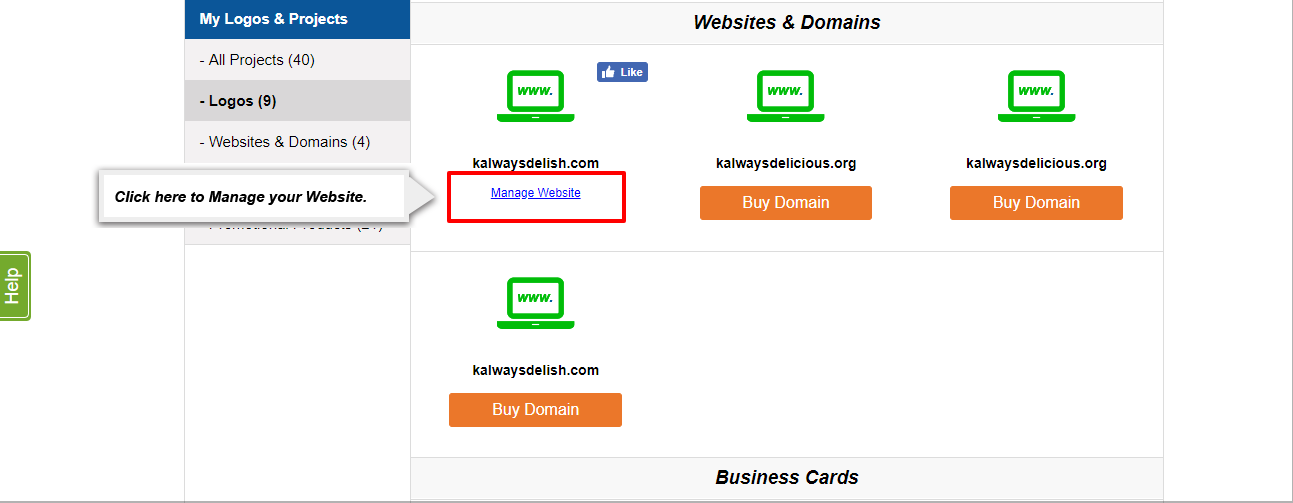
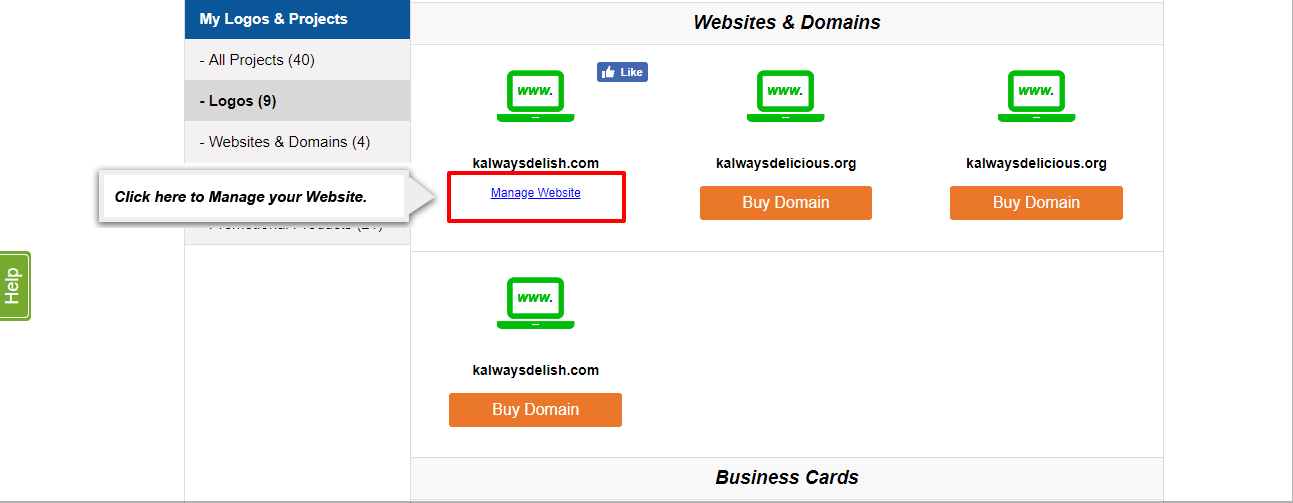
3. Locate the domain you registered on the left hand side. There will be a “Manage” button next to the domain you registered. Click on the “Manage” button to be taken to your domain management page.
2. Go to the “My Projects” page via the drop down menu in the upper right hand corner on any page of our site (this should appear once you log in).
3. Locate the domain you registered on the left hand side. There will be a “Manage” button next to the domain you registered. Click on the “Manage” button to be taken to your domain management page.
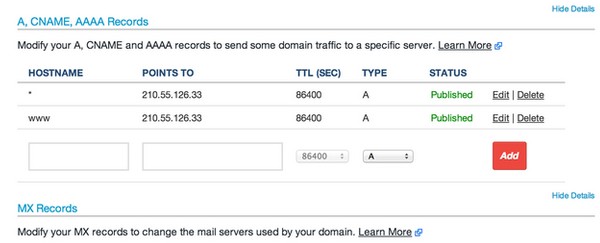
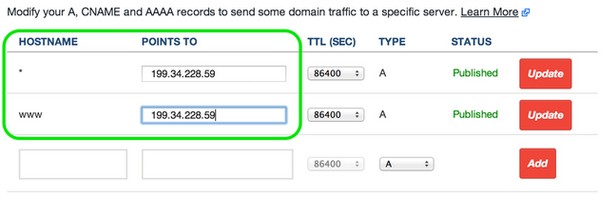
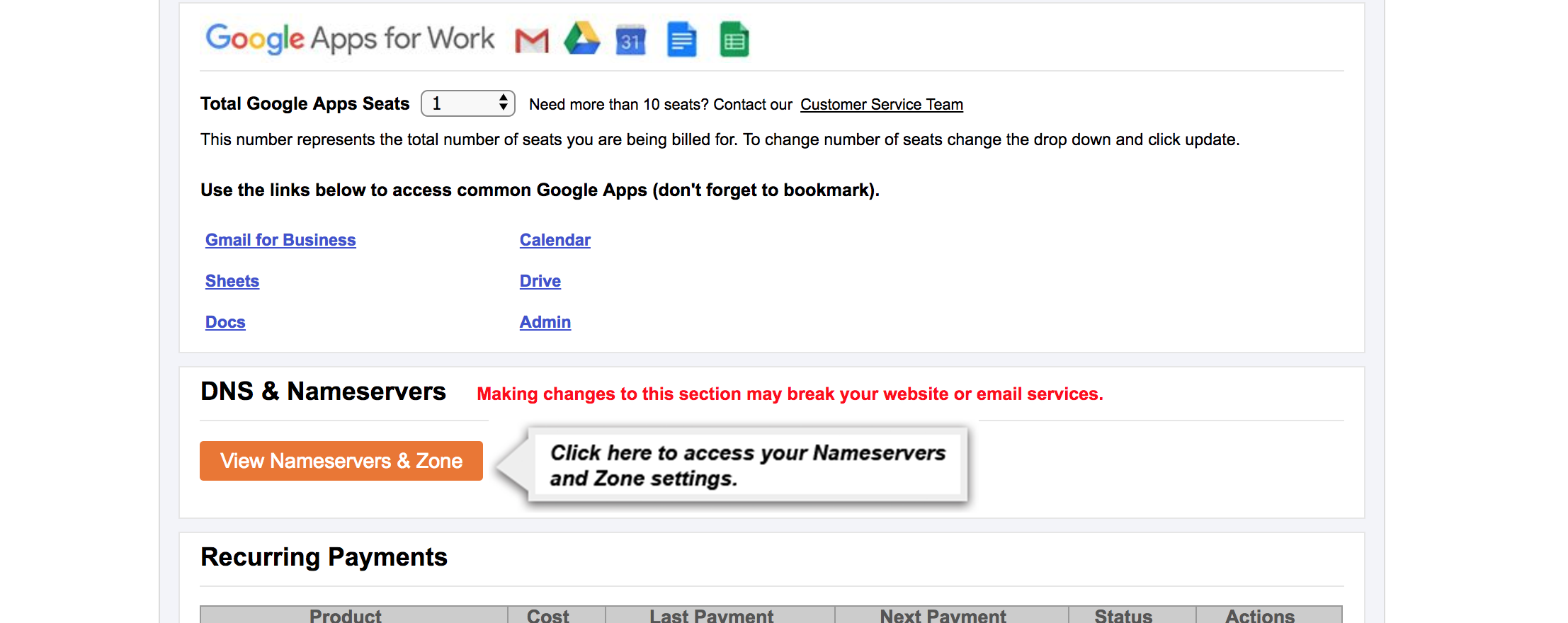
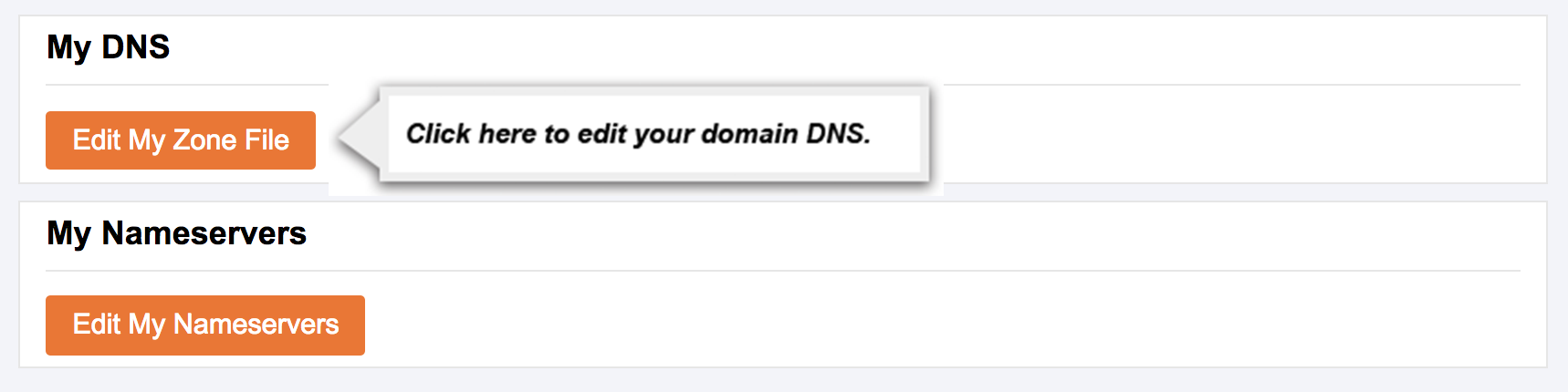
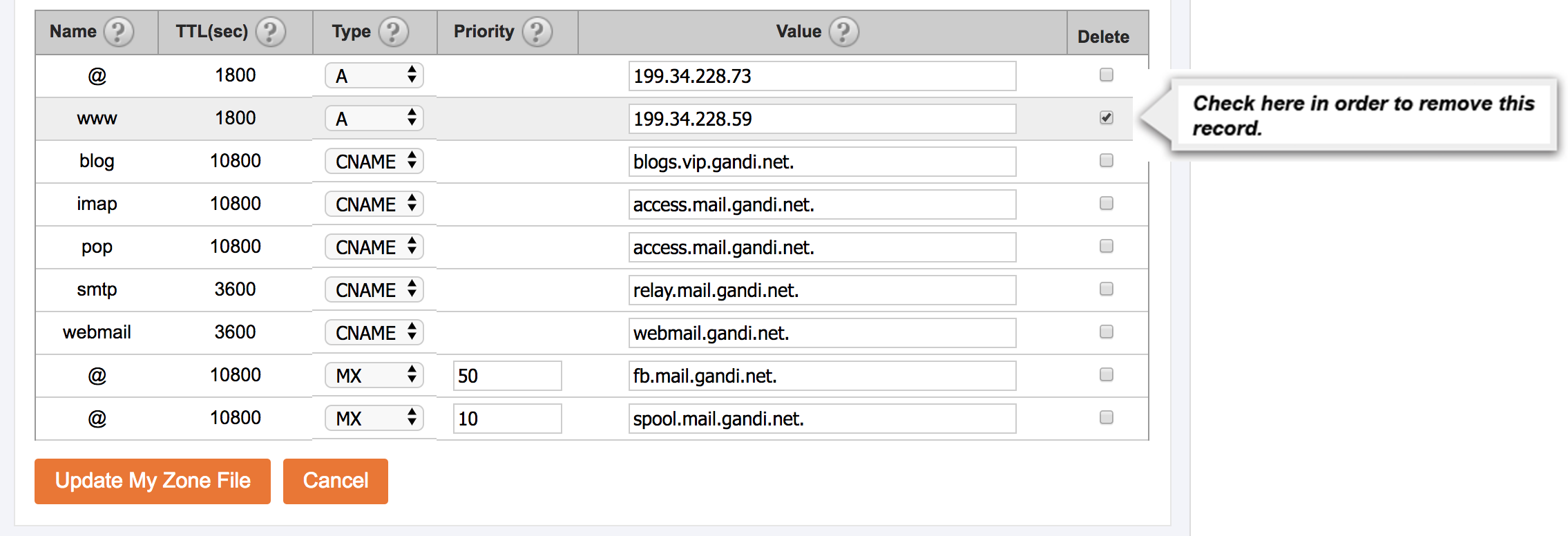
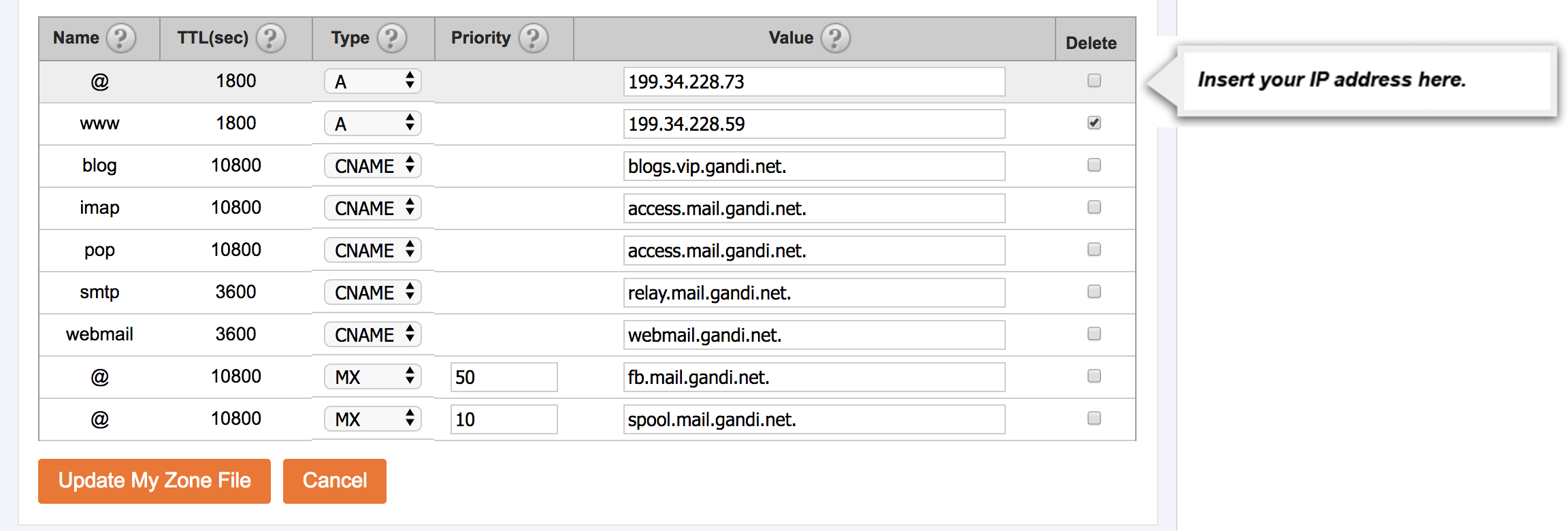
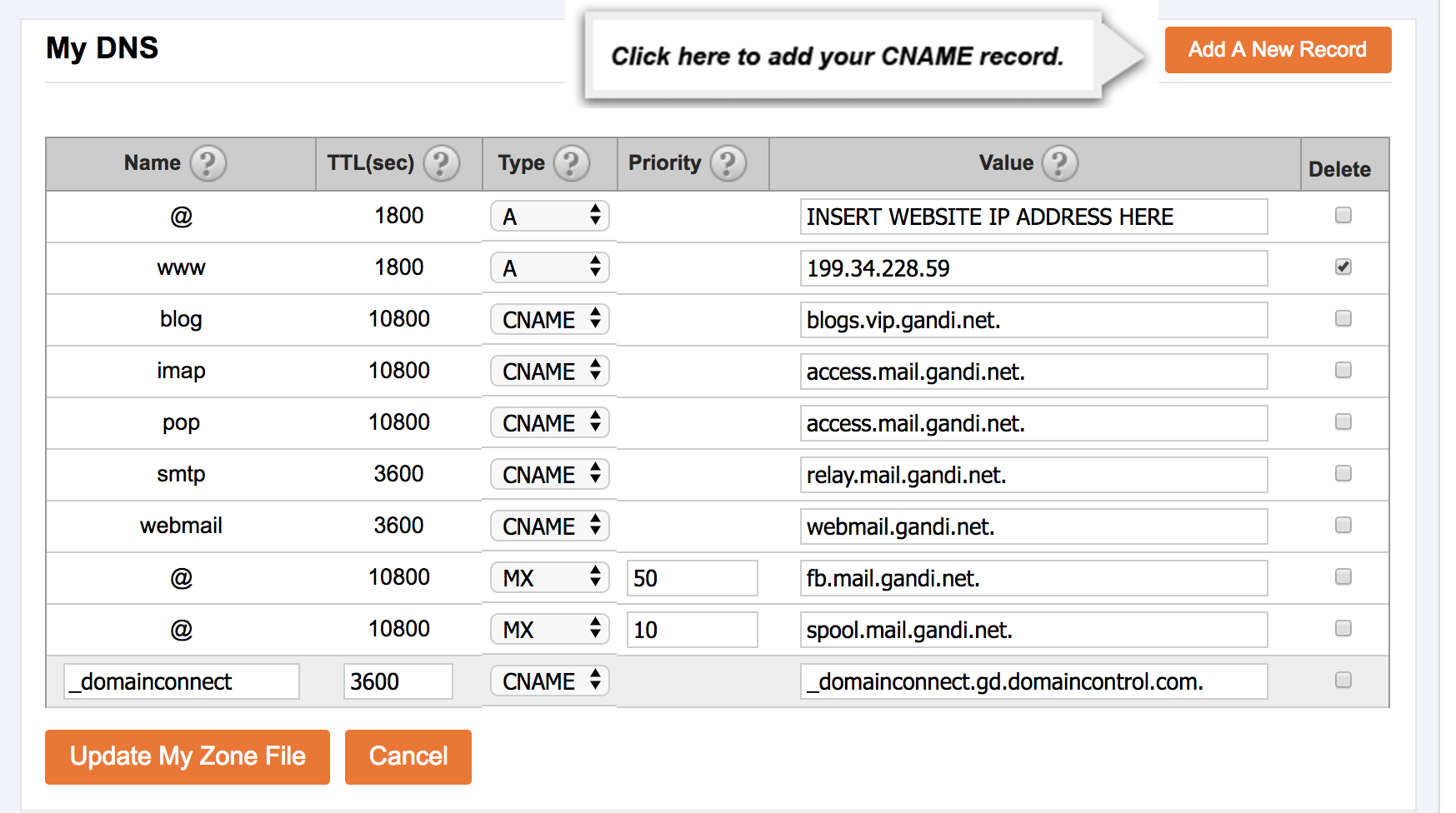
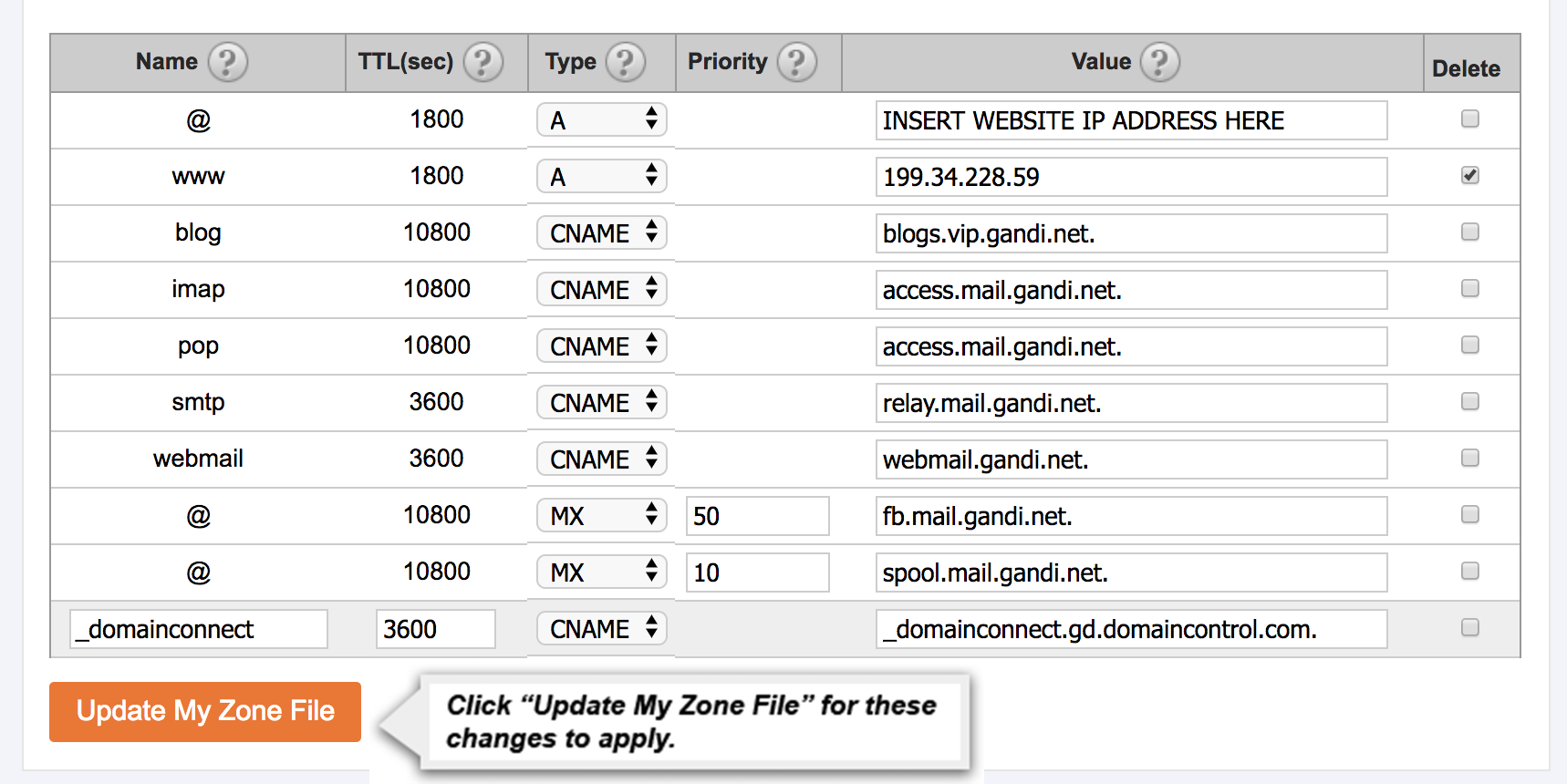
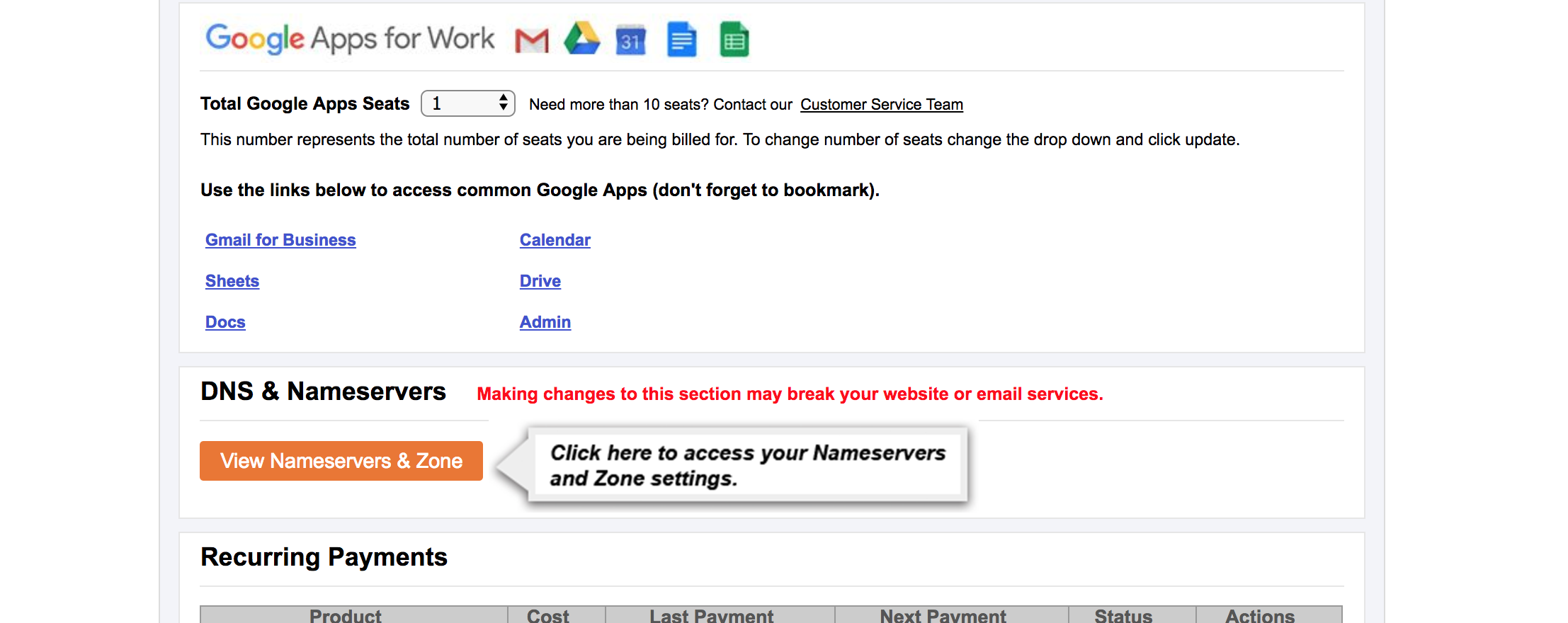
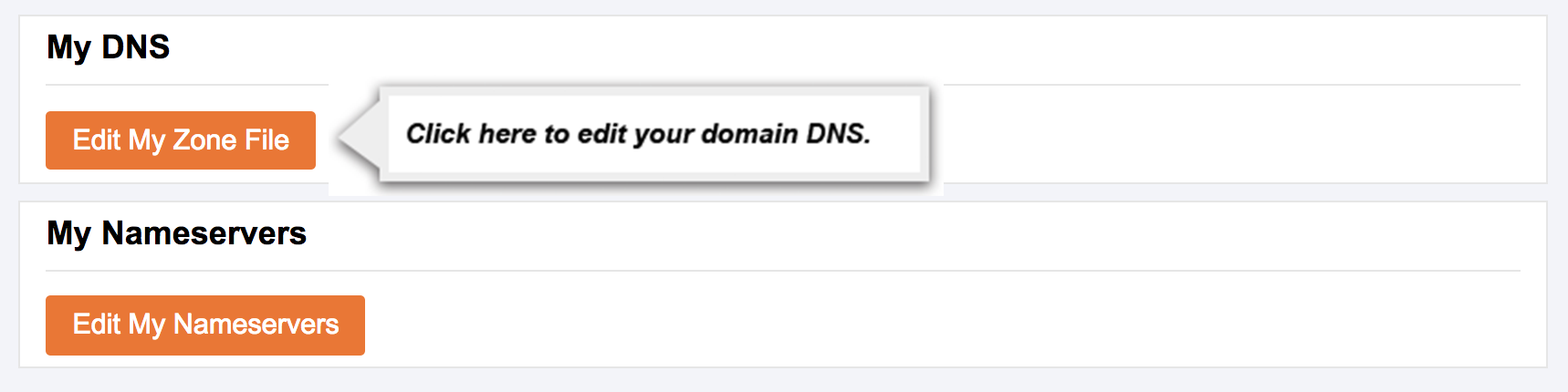
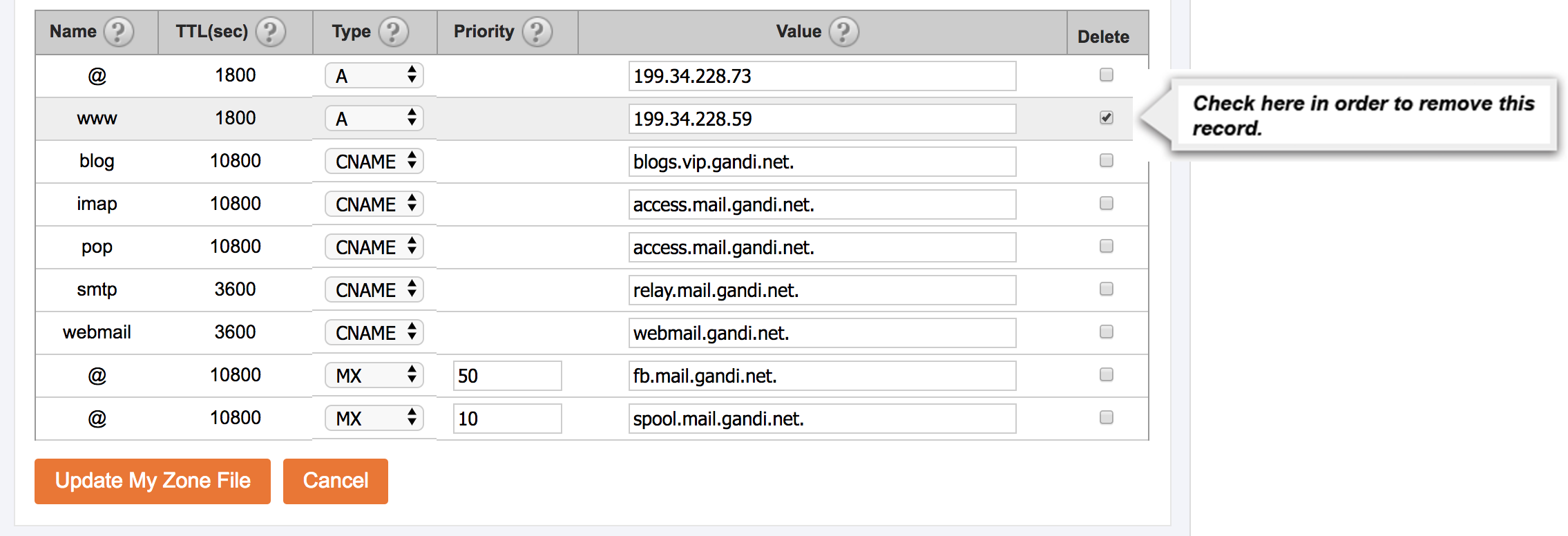
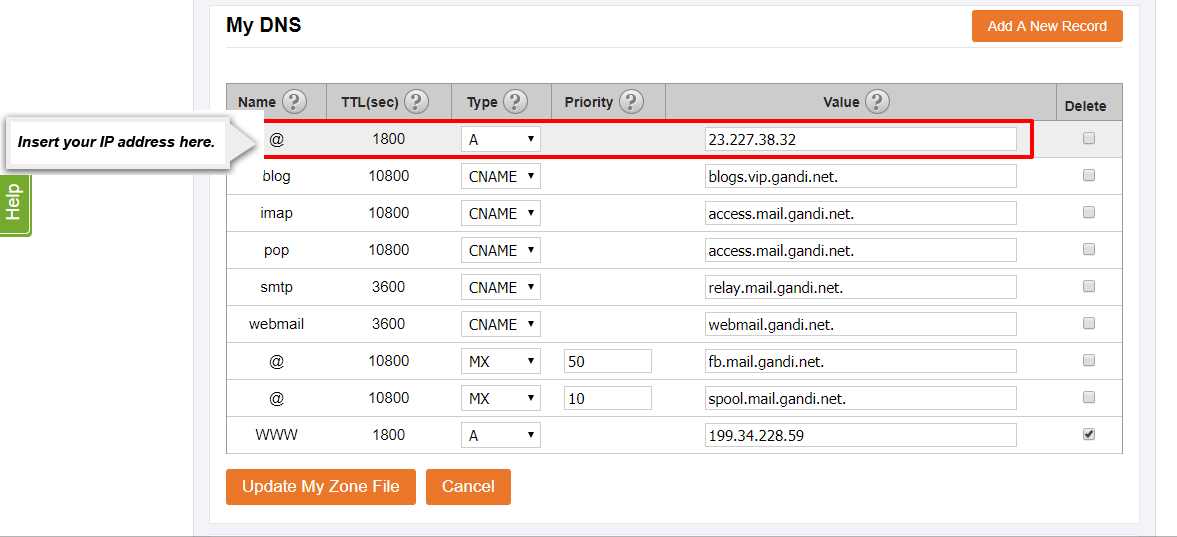
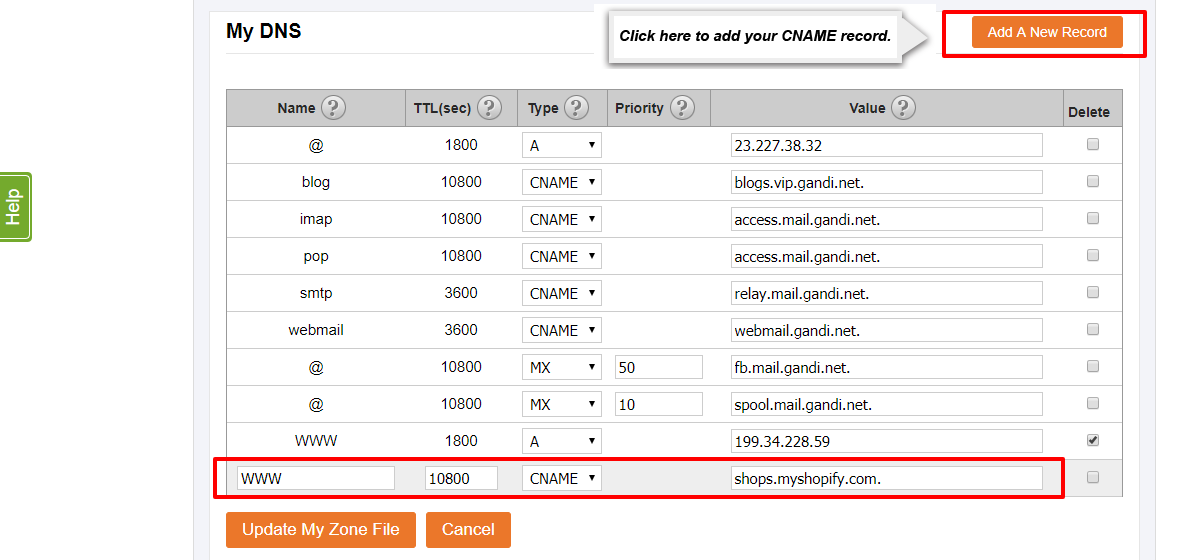
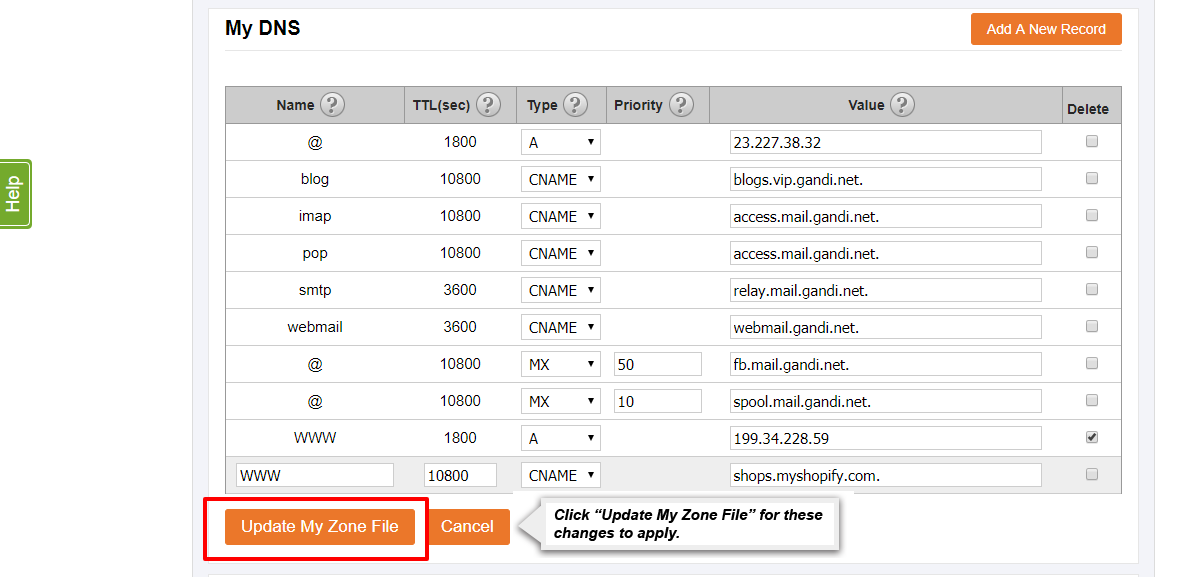
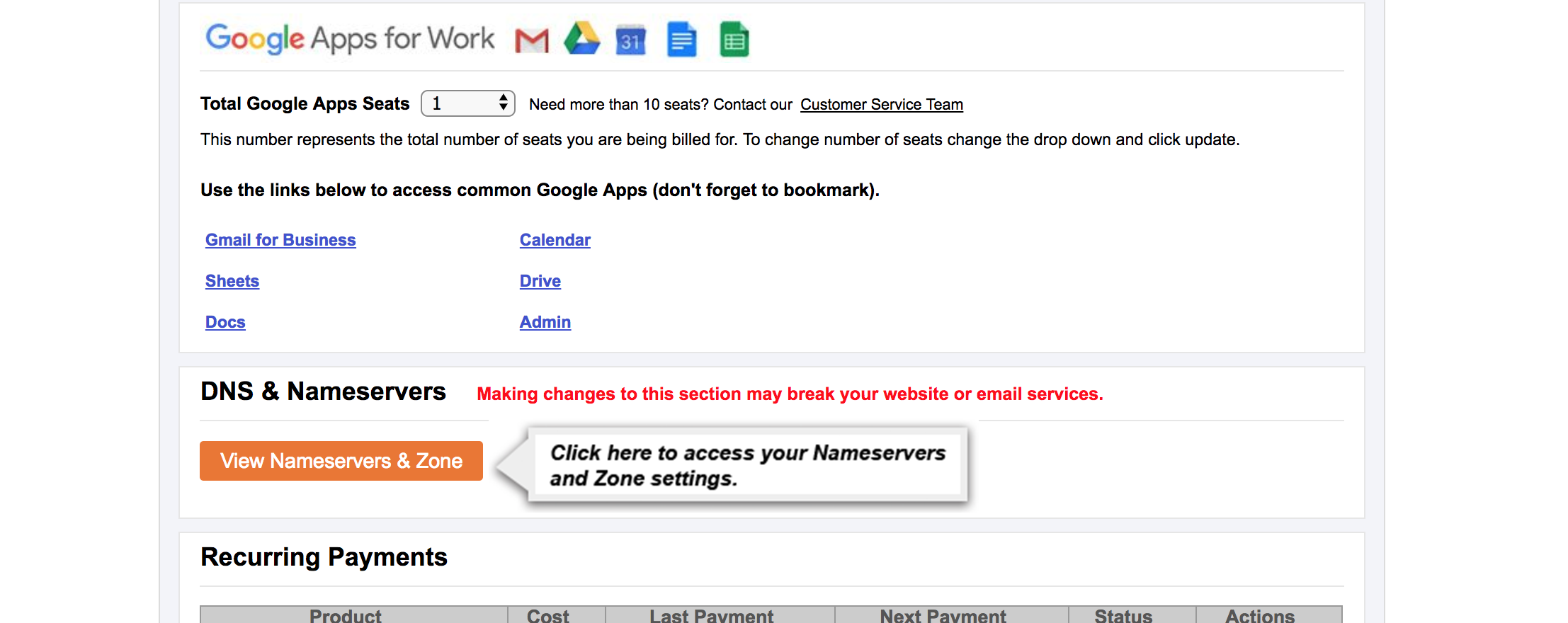
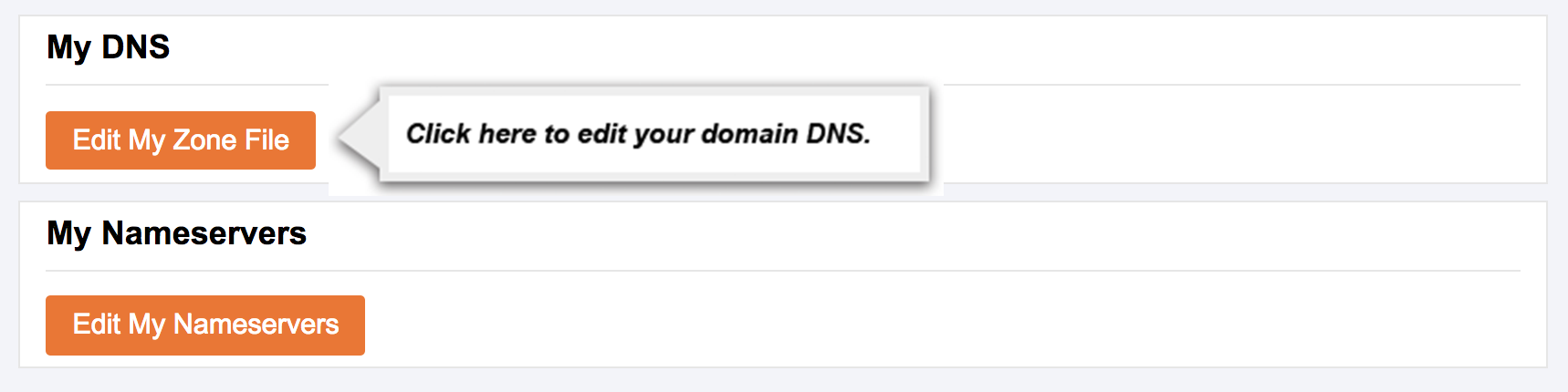
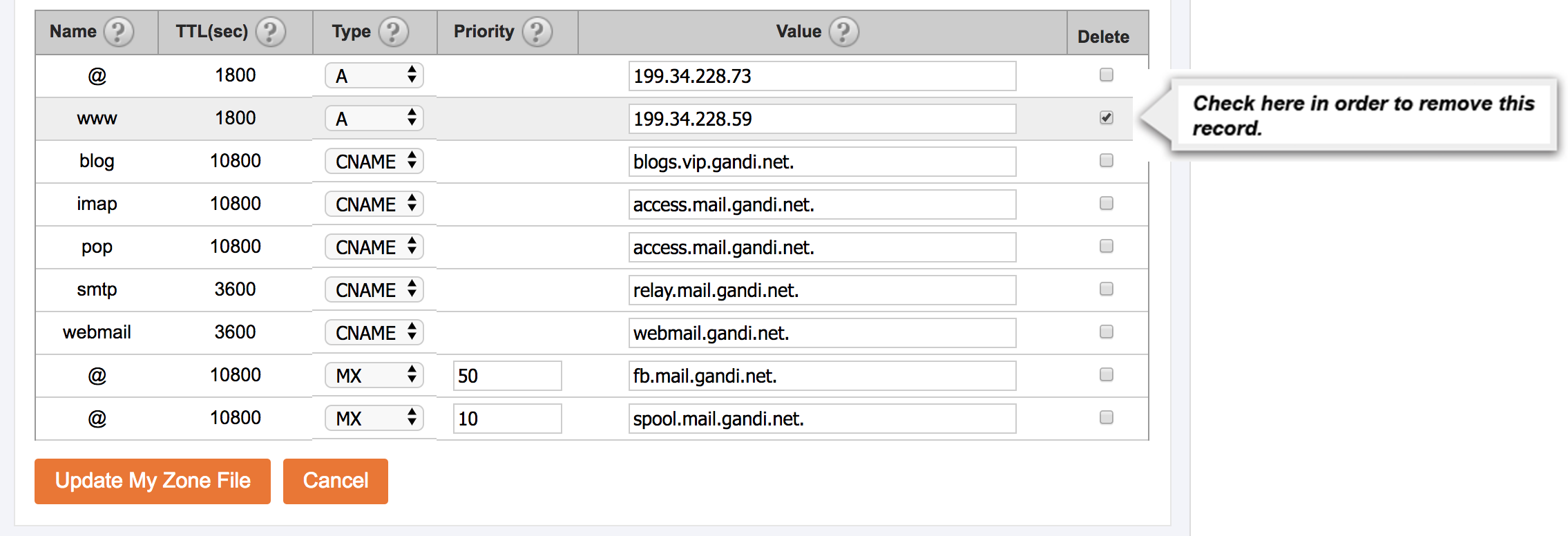
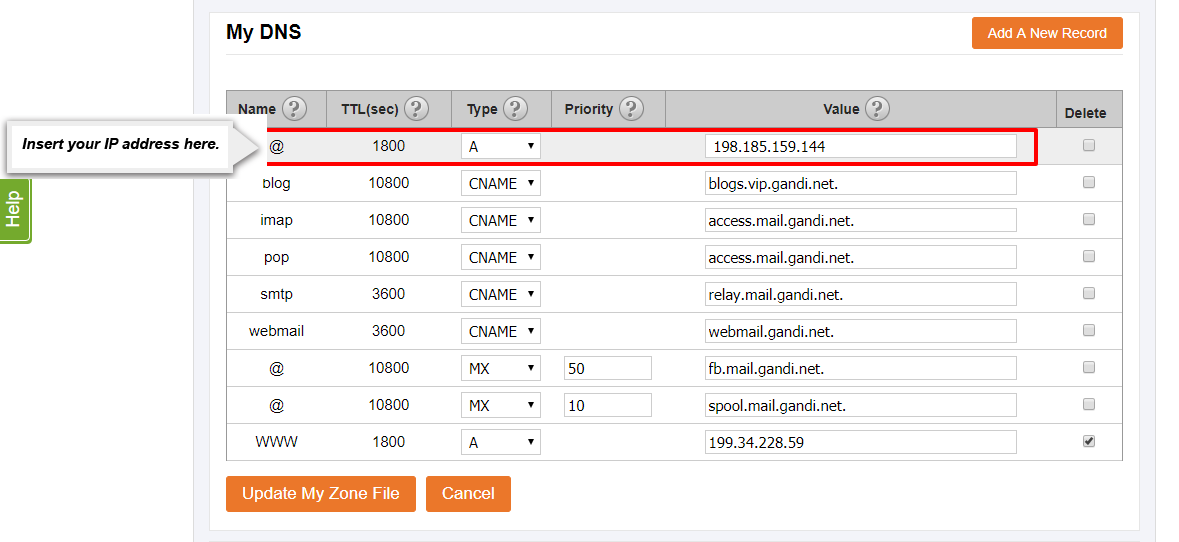
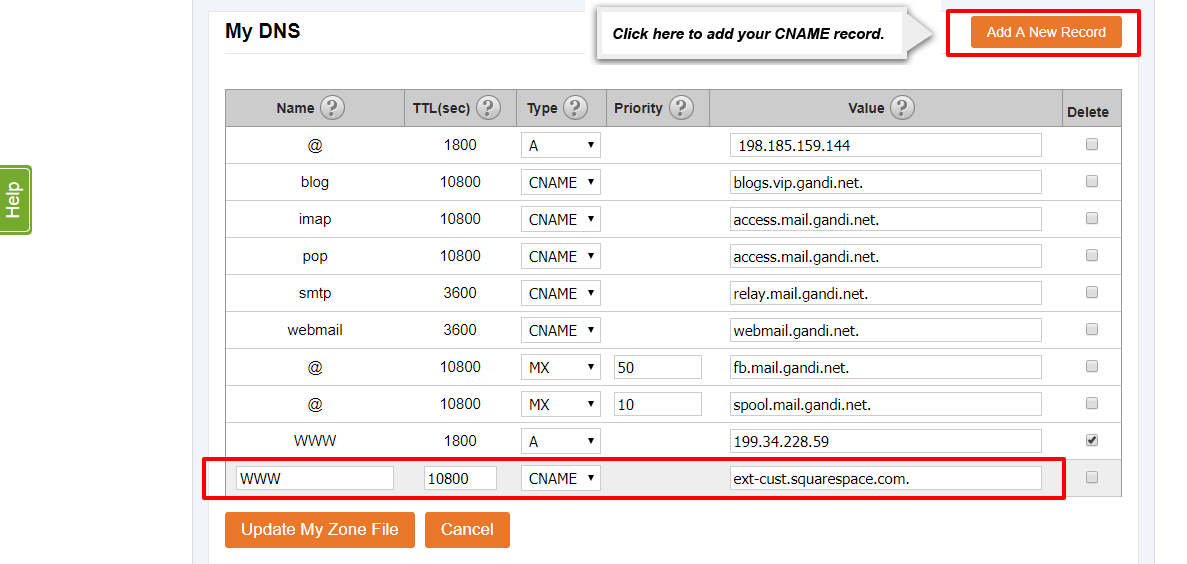
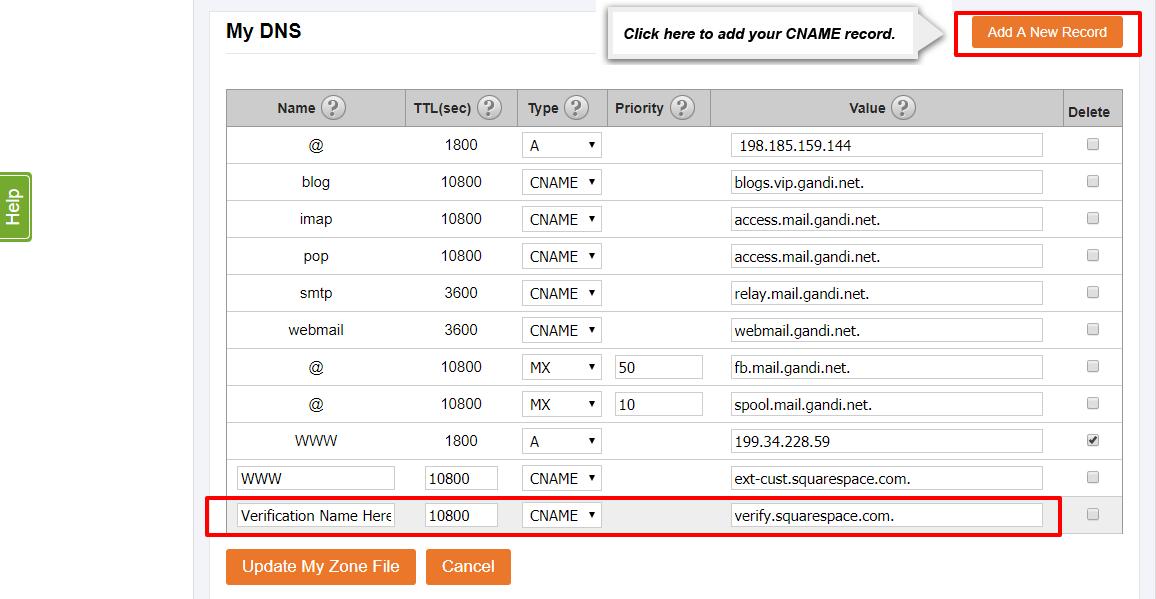
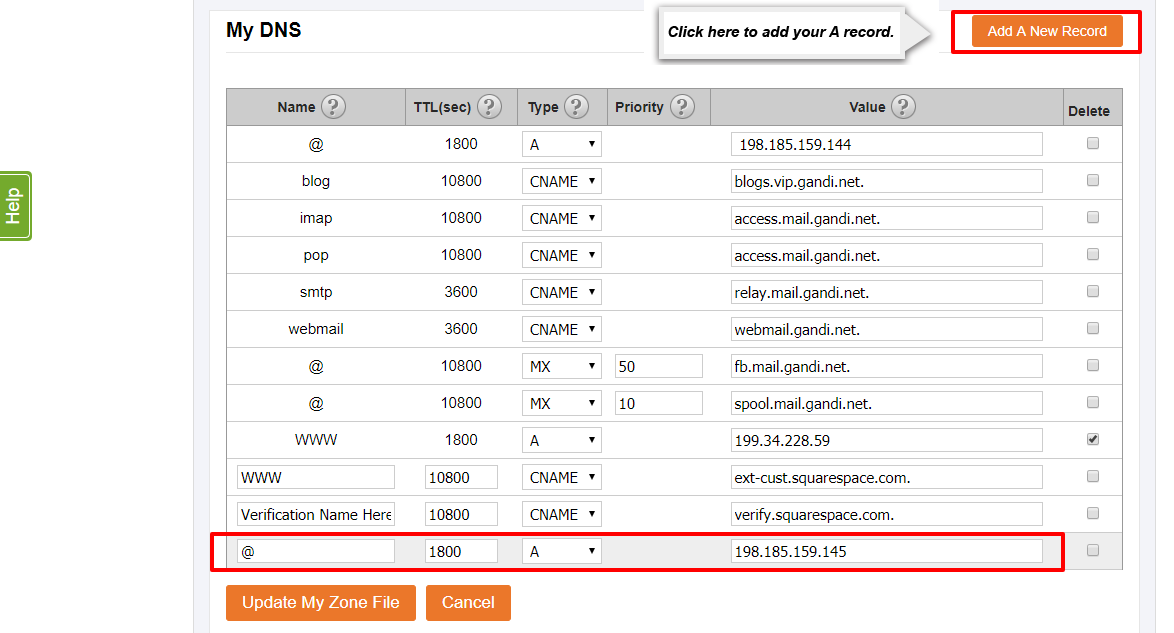
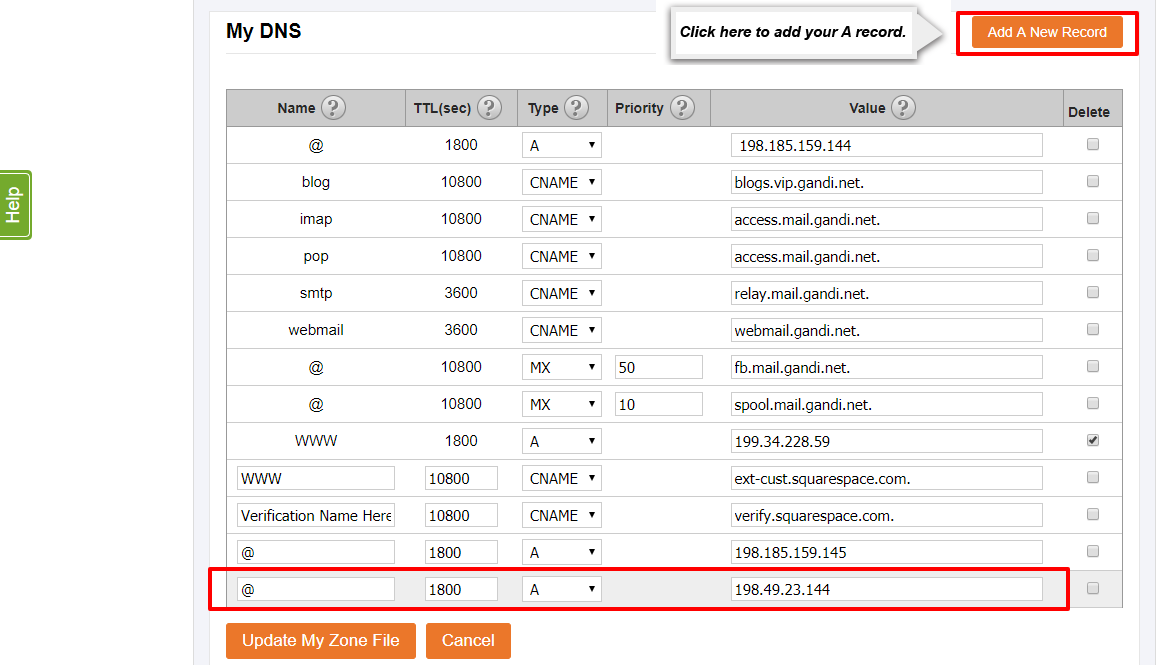
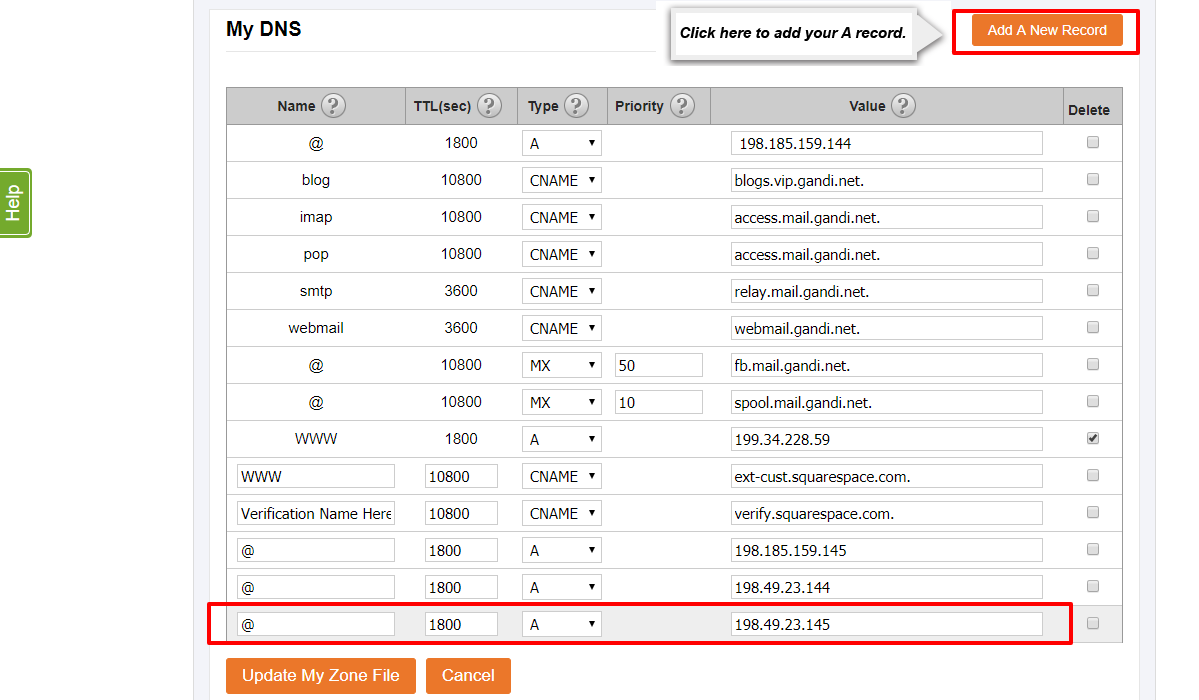
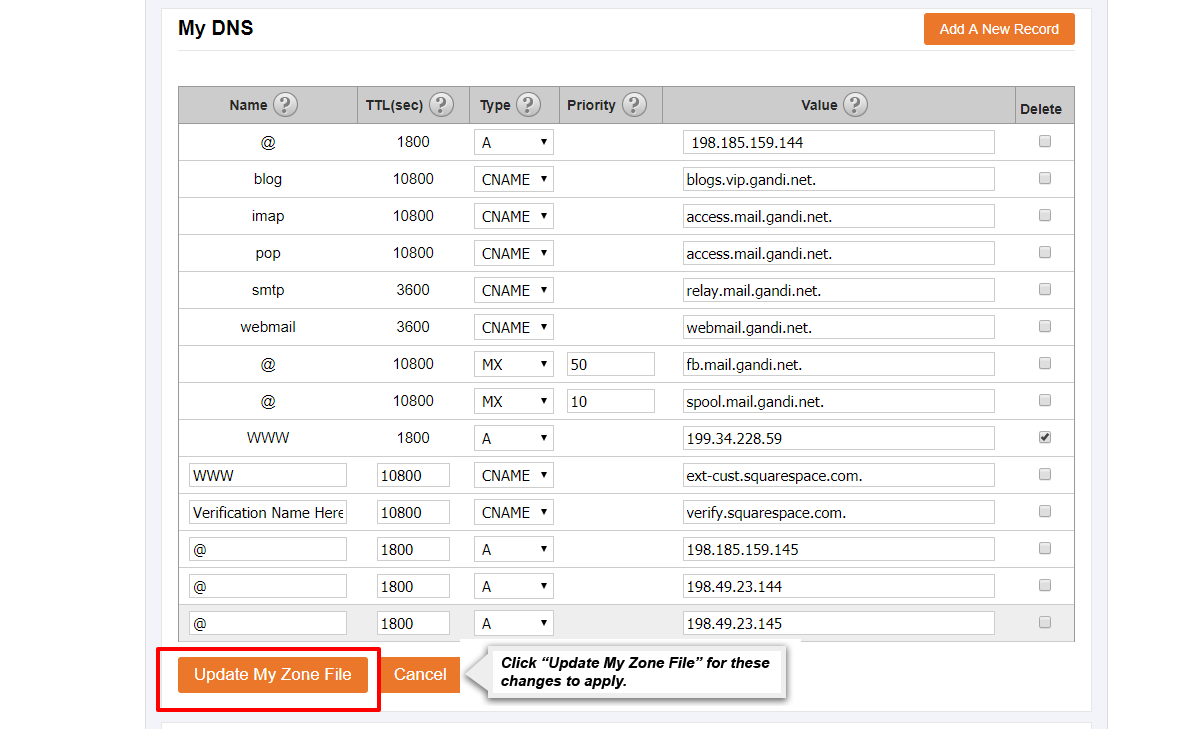
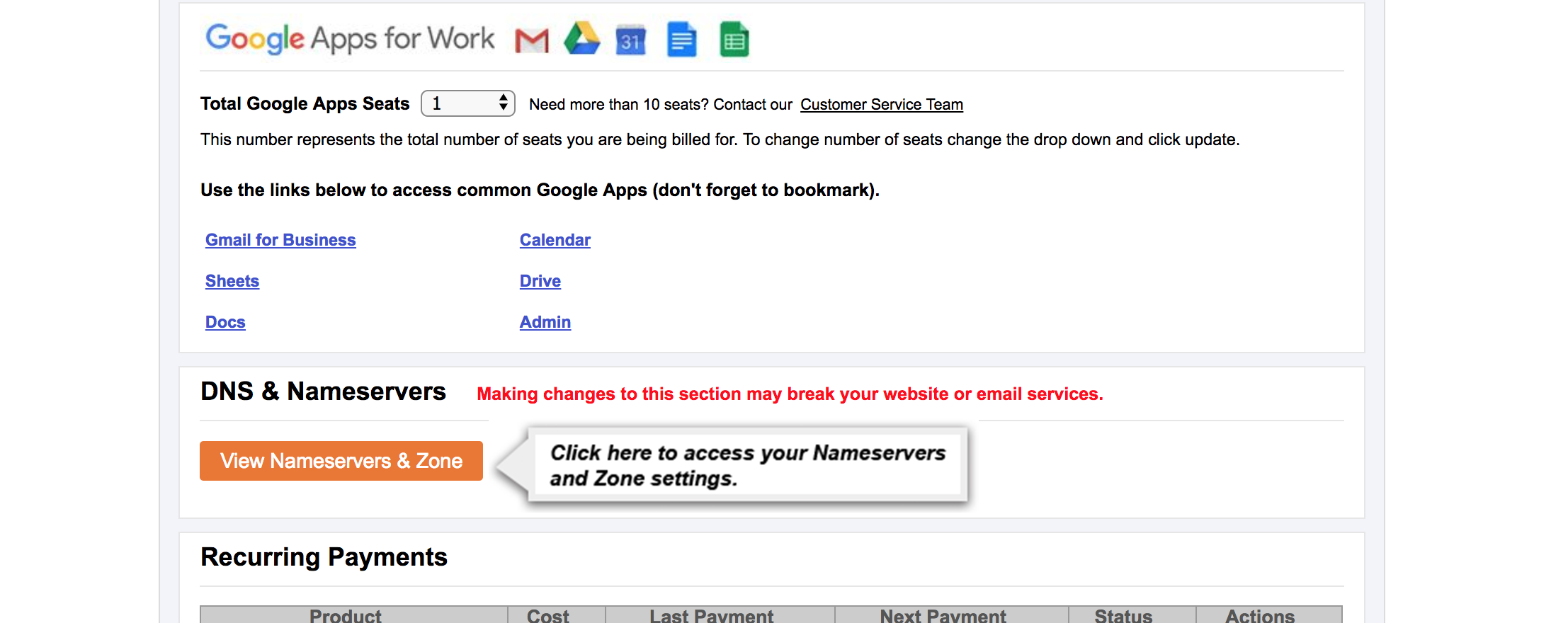
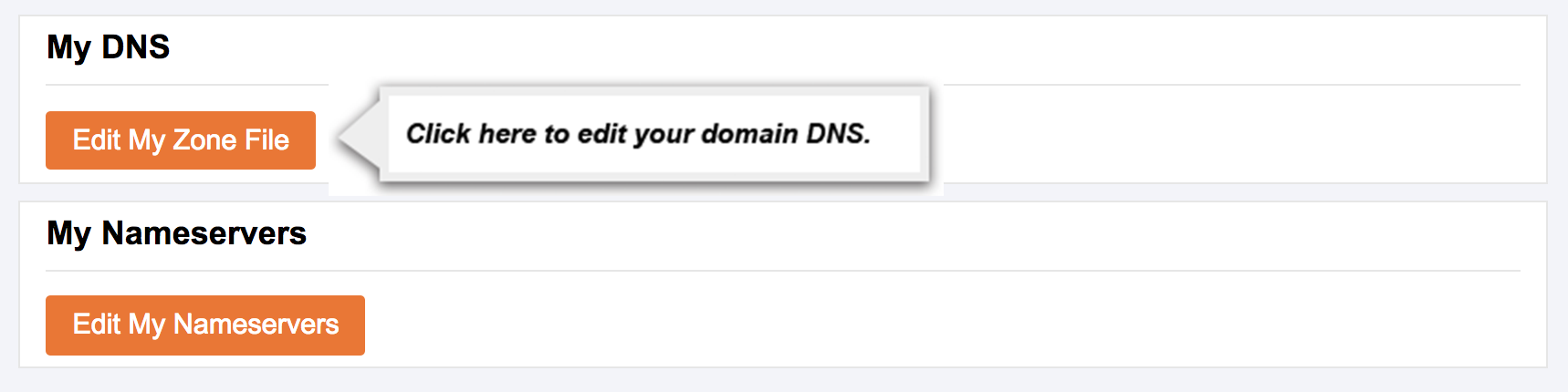
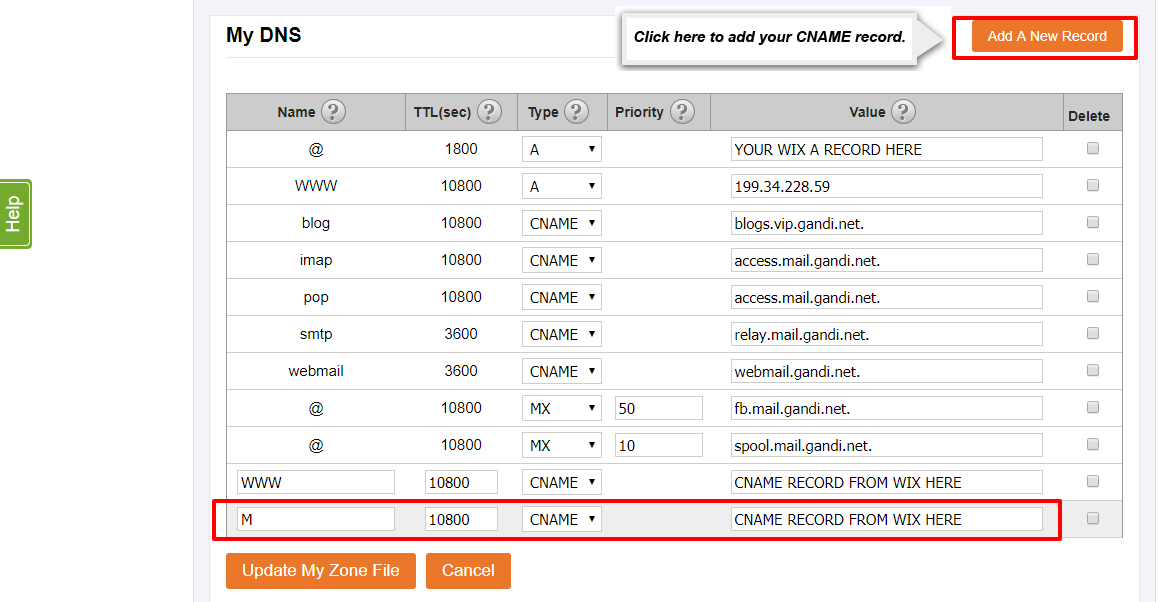
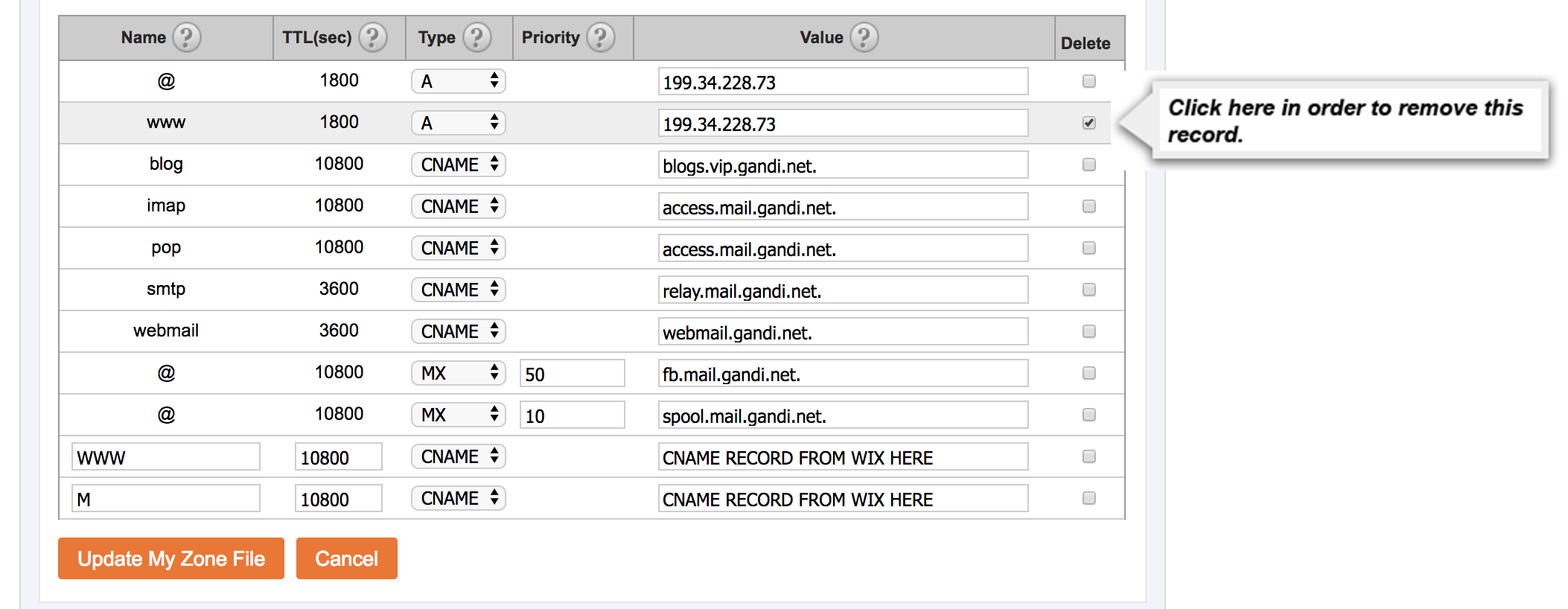
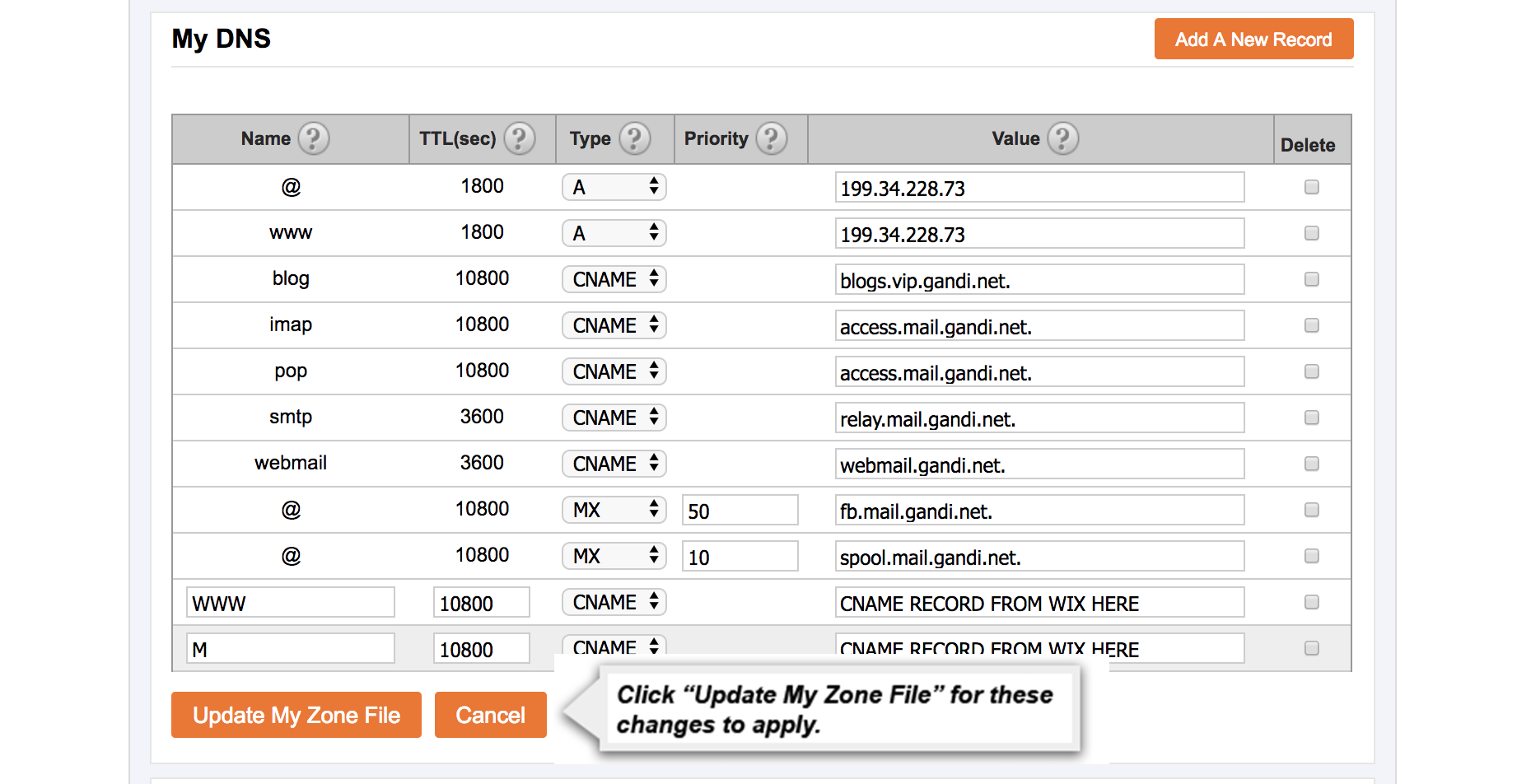
4. Once on the “Manage My Domain” page, scroll down to where it says “DNS & Nameservers”. Please click “View Nameservers & Zone”. In the following screen, you can edit your nameserver addresses or the Zone File/DNS records for your domain. Please contact your website provider for the best method to use to point your domain to their services. Common methods used to point a domain to a hosting provider or an existing website are:
- Changing nameserver addresses,
- Using a 301 redirect, or
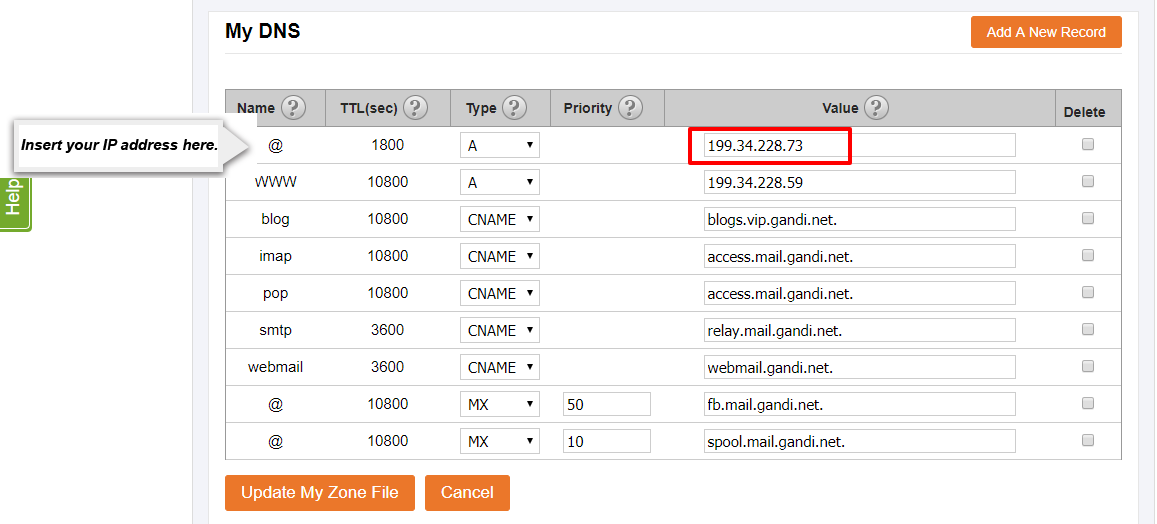
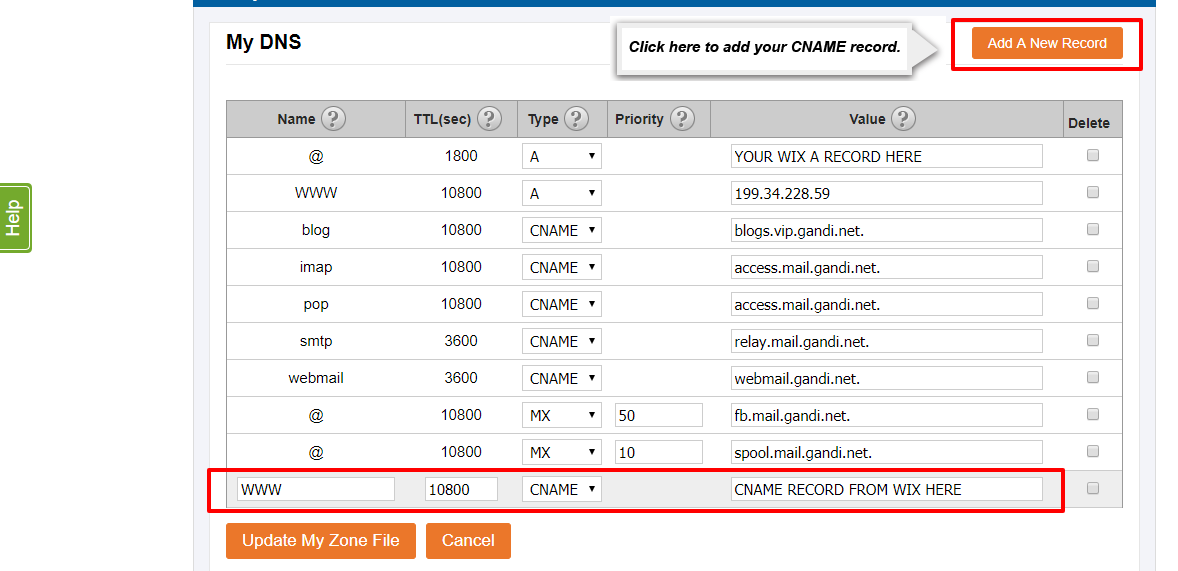
- Modifying A records by pointing them to specific IP addresses.
Warning: Making changes to this section may break the website or email services that you have with us. We recommend using A records or CNAME records rather than changing Nameserver addresses in order to preserve the services you may have with us.